Summary
Reusable heli transport with fast ropes, rope reboarding, landing zones, custom RT return points, selectable markers, LP flight routes, group transport, and HALO jump support.
Description
EE Transport DropAndReturn V2
Previous version will lose support due to new rope mechanics.

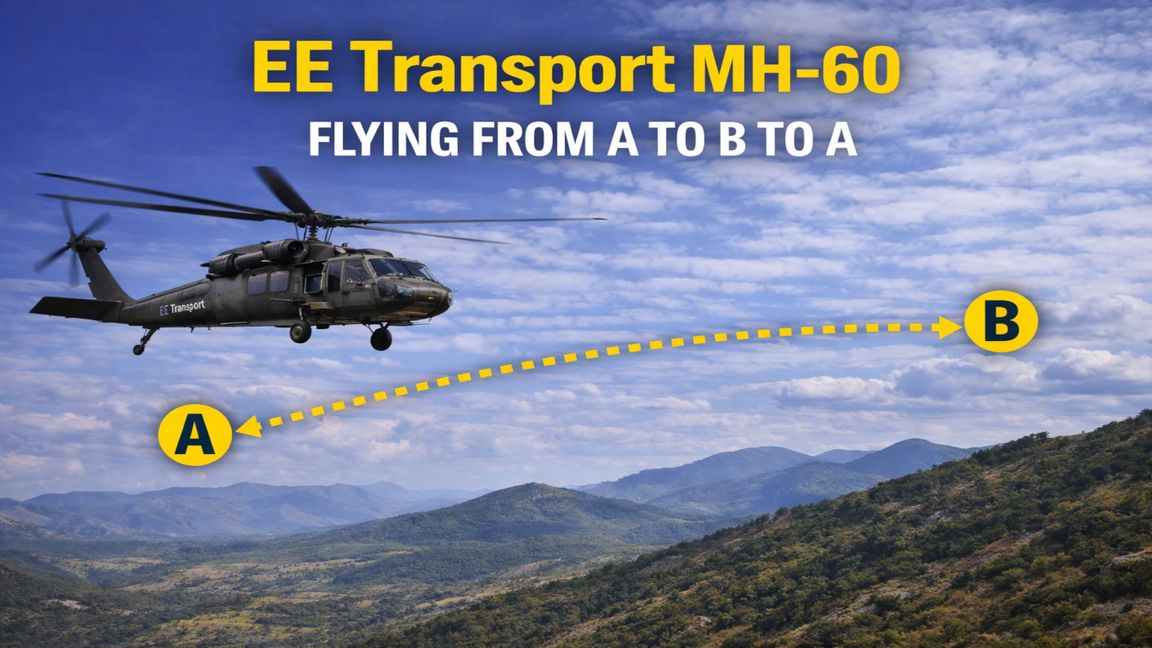
This mod improves helicopter transport by allowing the helicopter to fly to a selected marker, drop passengers off, return to base or a custom RT marker, land, shut down, and wait for another request.

The helicopter can be reused instead of only doing one mission.

Main features:

Helicopter flies to LZ, LN, or HL markers.
Helicopter returns to original spawn location after drop-off.
RT marker can be used if you want the helicopter to return to a custom location.
LZ marker makes the helicopter hover and deploy fast ropes.
LN marker makes the helicopter land.
Ropes can be used to get out and also to get back into the helicopter.
Players inside the helicopter can choose which marker to fly to.
Radio menu can now be used to call helicopters to available markers on the map.
Radio menu can also be used to choose which type of helicopter you want to call.
You can call multiple helicopters by using the radio request multiple times.
Multiple requested helicopters automatically group together for pickup or drop-off.
Supports personal markers and shared squad markers.
Supports LP route markers for custom flight paths.
Supports HALO jump markers.
Helipad spawners can now be configured in properties to choose which helicopter they spawn.
Gamemaster Waypoint system for fast and easy automated helicopter dispatches.
Gamemaster Helicopters can spawn empty, allowing GMs to right-click and dynamically spawn crew factions (US, USSR, FIA, etc.).
Gamemaster Features: Gamemasters now have dedicated tools to easily control helicopter insertions on the fly without using map markers or radios!

Dynamic Faction Crews: You can now spawn Gamemaster-specific helicopters completely empty (engine off, no crew). When you are ready to use the helicopter, simply right-click it in the Gamemaster interface and select "Spawn Crew Faction". Choose between US, USSR, or FIA, and the mod will automatically spawn the correct pilots and door gunners, matching the exact seat configuration of the helicopter!

Gamemaster Waypoints: To send helicopters to a location, drop the custom "GM Heli Drop Marker" from the Gamemaster menu. Right-click the marker to configure the entire mission:

Choose the Insertion Type: LZ (Rope Drop), LN (Landing), or HL (HALO Jump).
Choose the number of helicopters to dispatch.
Set the HALO altitude (if doing a HALO drop).
Select "YES" under Execute Mission to instantly dispatch the helicopters to that exact spot! The waypoint's rotation even controls the flight path direction for HALO drops.
Radio helicopter request: You can now use the radio to request a helicopter to available markers on the map.

If multiple valid markers exist, you can choose which marker the helicopter should fly to.

You can also choose which type of helicopter you want to call, depending on what is available in the mission.

To request more than one helicopter, use the radio request again.

For example: Click the request once = 1 helicopter comes. Click the request 2 times = 2 helicopters come. Click the request 3 times = 3 helicopters come.

The requested helicopters will automatically group together, so you no longer need separate markers like LZ1, LZ2, or LZ3 just to call multiple helicopters.

Helipad setup: Helipads can now be configured in the editor.

Right click the helipad, go to properties, and choose which helicopter type the helipad should spawn.

This allows mission makers to set different helicopter types for different helipads.

Marker examples:

LZ LZ - OSCAR LZ - DELTA LZ means hover insertion with fast ropes.

LN LN - OSCAR LN - DELTA LN means landing insertion.

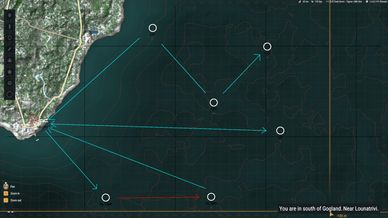
RT RT - BASE RT means return point. If no RT is placed, the helicopter returns to its original spawn location.

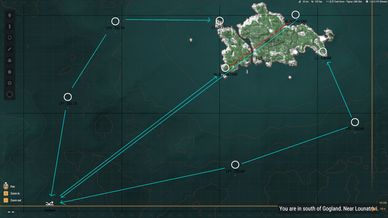
LP1 LP2 LP3 LP markers are route markers. The helicopter will fly through LP markers before going to the final LZ, LN, or HL marker.

Example: LP1 LP2 LP3 LZ The helicopter will fly through LP1, LP2, and LP3 before reaching LZ.

Shared route example: LP1 - OSCAR LP2 - OSCAR LP3 - OSCAR LZ - OSCAR

HALO jump: Use HL markers for HALO drops.

Basic example: HL 1000 HL END The helicopter will fly to HL 1000, climb to the selected altitude, then fly towards HL END while automatically dropping passengers.

The number is the drop altitude.

Named HALO route example: HL - OSCAR - 1500 HL - OSCAR - END This creates a shared HALO route called OSCAR. Everyone inside the helicopter can select it.

For Arma Reforger, around 2000 metres is usually more than enough for HALO.

Video demonstration: https://www.youtube.com/watch?v=152z1iRd9Bo

Video demonstration gamemaster: https://www.youtube.com/watch?v=qUUGtyeDhhk
License
Arma Public License (APL)