Summary
Interactive checkpoints with Dynamic AI Zones. Inspect transit papers, issue reusable passes, manage relaxed AI guards and control vehicle access with lifting barriers and configurable zone settings.
Description
Checkout our Discord for feedback and Reviews:
HTTPS://www.TRGB.Link/Discord

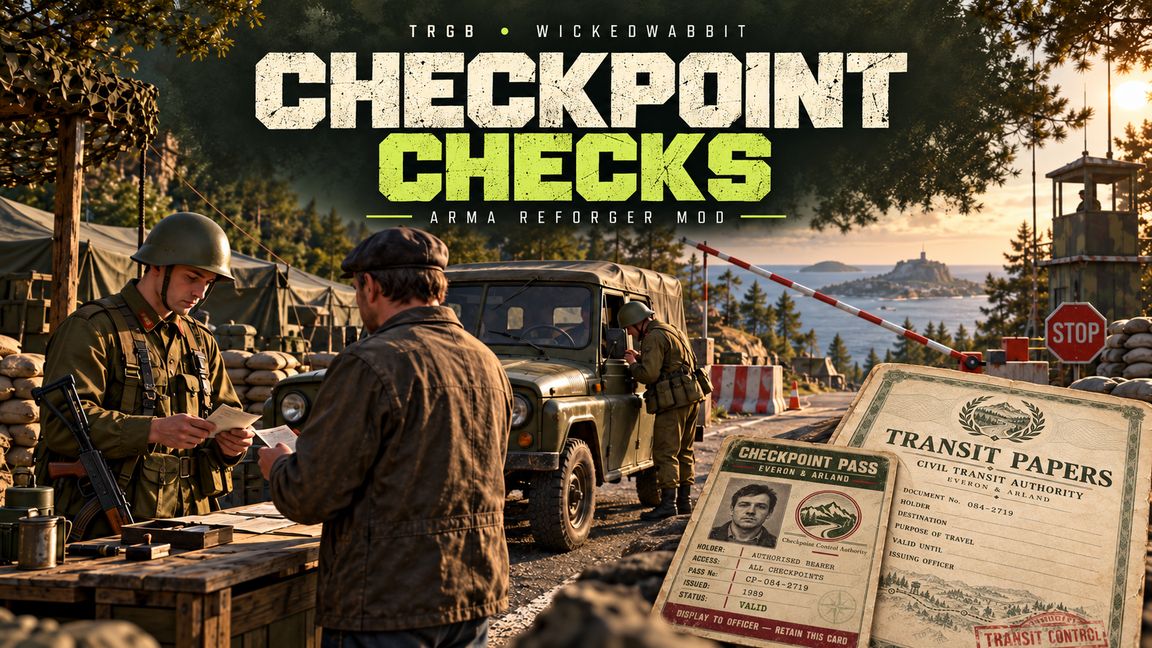
Checkpoint Checks adds interactive military checkpoints to Arma Reforger. Built around Dynamic AI Zones, it combines placeable compounds, assigned guard duties, physical documents and clearance rules. Players park, approach the officer, answer questions and present their papers, while authorised personnel can display a reusable pass to skip questioning.
CHECKPOINT COMPOSITIONS
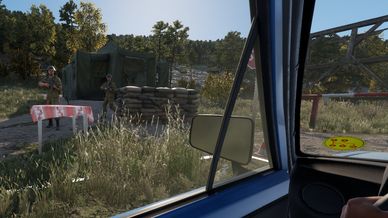
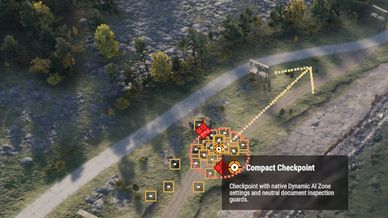
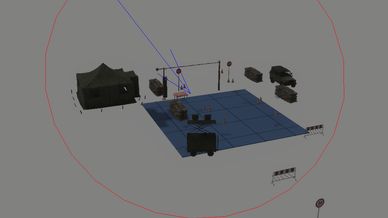
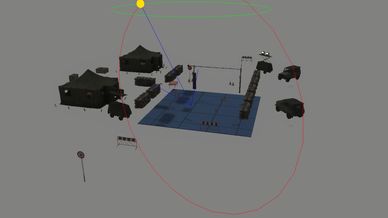
Choose Full Checkpoint or Compact Checkpoint, featuring tents, sandbags, cones, an inspection table, parked vehicles and a lifting barrier. Terrain snapping helps ground the composition, and individual objects remain adjustable by Game Masters. Choose a suitable road with room for the compound and approaching traffic. Automatic obstacle avoidance is disabled, so check placement and move props that intersect buildings, rocks or vegetation.
REQUIREMENTS AND PLACEMENT
Dynamic AI Zones is required. Load both addons in your scenario or server configuration. In Game Master, right-click your intended position and use the Dynamic Zone menu to select Full Checkpoint or Compact Checkpoint.
Point the GM camera along the intended traffic direction before confirming placement. The checkpoint follows the camera's horizontal heading, taking priority over automatic road alignment. Check the finished position from ground level and ensure the barrier spans the usable road.
Faction selection and activation radius remain configurable. Checkpoint duties are managed by this addon, so custom combat behaviours, additional AI formations, reinforcement waves and extra roadblocks are removed from checkpoint configuration. Other Dynamic AI Zones retain their normal options.
ASSIGNED GUARD DUTIES
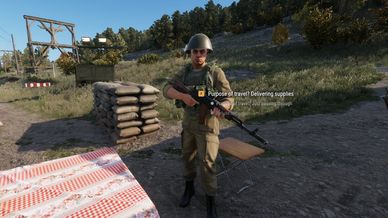
Staffing consists of two specialists plus one additional guard per active player counted within the zone's activation radius. The document officer stays at the table, while one inspector can walk around a stopped vehicle. Additional guards hold positions outside the central traffic lane. During peaceful operation, surplus guards can be retired as the player count falls.
Before escalation, soldiers use relaxed checkpoint duties intended to keep weapons lowered and prevent normal combat reactions from interrupting inspections. If the checkpoint becomes hostile, guards return to combat behaviour. Test faction combinations and compatibility with other AI or faction addons before running a mission.
NORMAL INSPECTION
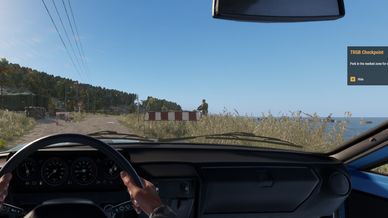
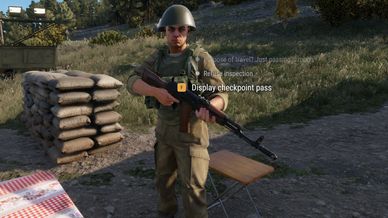
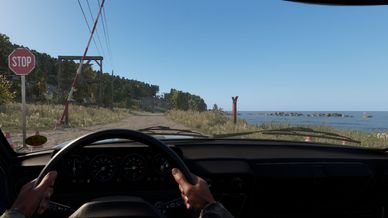
Drive into the marked parking area and stop. Get out and approach the soldier at the document table. Inspections take place on foot because vehicle windows can obstruct interactions. After standing still for approximately two seconds, use the officer's scroll list to answer questions or select an inspection action. Keep your vehicle parked and leave room for the inspector to move around it.
TRANSIT PAPERS
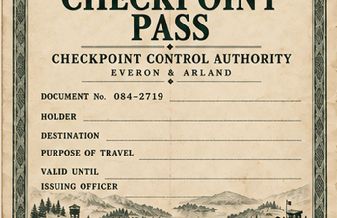
Transit Papers are physical documents used during the normal interview. Answer the officer's questions, then select the document handover action. The checkpoint checks your inventory for an authentic credential matching its requirements. With normal document consumption enabled, accepted papers are surrendered and removed. Carrying Transit Papers does not bypass questioning.
REUSABLE CHECKPOINT PASS
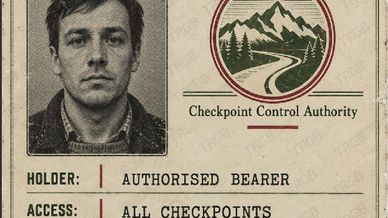
The Checkpoint Pass provides authorised passage without further questions. During the question or document stage, select "Display checkpoint pass" on the officer. The server checks that you carry an authentic pass, clears the inspection and leaves the item in your inventory. It is suitable for trusted personnel, couriers and repeated access. The ID-card design includes a discreet TRGB watermark.
GAME MASTER DOCUMENT TOOLS
Right-click a character and choose "Give Transit Papers" or "Give Checkpoint Pass". Both actions also support selected characters. Optional pass issuance is available through the Dynamic Zones HVT and mission-builder integration, allowing an HVT to carry the reusable pass as a recoverable mission item.
BARRIERS AND CONSEQUENCES
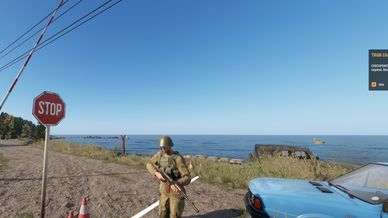
Successful clearance opens the lifting barrier for thirty seconds, allowing time to return to your vehicle and drive through. Occupancy protection helps prevent the barrier closing onto passing traffic. Returning cleared players can be recognised and admitted again.
Failed inspections normally provide a thirty-second warning to withdraw at least fifty metres before hostile escalation. Missing-document failures can trigger a five-minute return restriction. Vehicles that force a checkpoint at speed can be remembered and provoke hostility when recognised again.
TESTING
The current build remains under testing. Before public use, check placement, inventory artwork, document handover, reusable passes, barrier timing and multiplayer behaviour in your scenario. Recent fixes still require in-game verification.
License
Arma Public License No Derivatives (APL-ND)