Summary
Dynamic AI Zones!

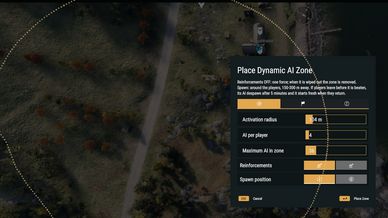
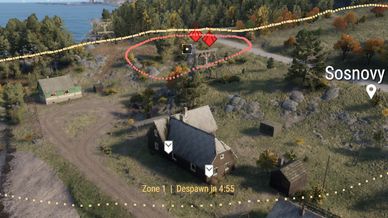
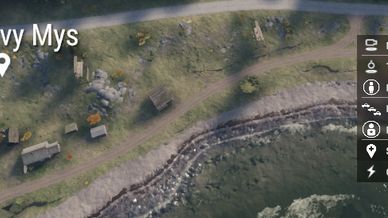
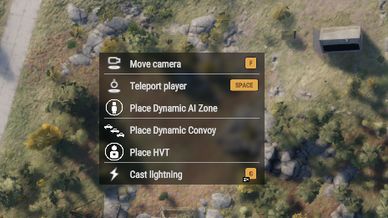
place down a spawner zone with right click in GM!
Adjustable sliders for different scenario difficulties, now with convoy & HVT Intel logic!
Description
DYNAMIC AI ZONES – Game Master Mission Builder
Turn Game Master into a full mission builder. Place enemy zones, convoys, HVTs, QRFs and civilians with a right-click, chain them into objectives, and the mod runs the fight for you. Enemy numbers scale to how many players show up.

Introducing the all new Dynamic Mission Builder.
set up an entire multi-operation with just one click! right-click and press mission builder over a town to dynamically place zones and HVT placment anywhere in the town, use the re-roll option or fine tune the whole setup to get  a 3-4 point operation that could take you hours to complete in just 20 seconds of set up! finally the GM can play with you and not have to deal with the teadious placments of enemies and defences and HVT logic.. we all know that is a pain! spend more time planning and less time doing.

check the change log and the discord for information.

DYNAMIC AI ZONES
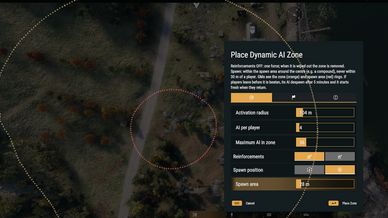
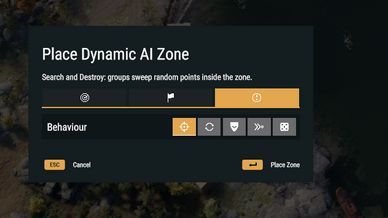
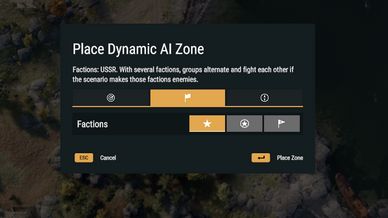
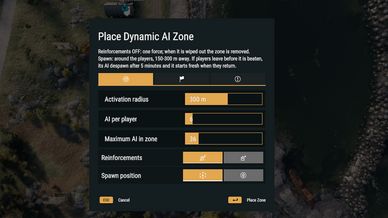
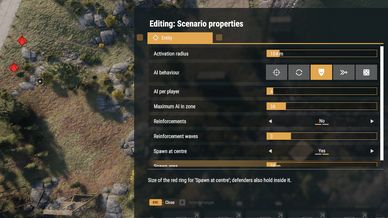
Right-click the ground and choose Place Dynamic AI Zone. When players walk into the ring, enemies spawn based on how many players are inside.
Set the activation radius, AI per player and maximum AI.
Reinforcements: one force, or up to 10 waves.
Spawn around the players, or inside a set area such as a compound.
Factions: USSR, US and FIA. Pick more than one and they'll fight each other.
Behaviour: Search & Destroy (room-by-room building clearing), Patrol, Defend, Hunt Players or Mixed.
AI skill: Recruit, Regular, Veteran or Elite.
If players leave before the zone is beaten, the AI despawn and the zone resets for next time.
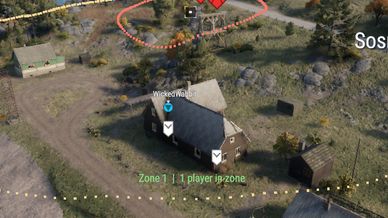
Live ring preview while you place, plus a label showing the zone's status.
DEFENCES & MORTARS
Defence presets: Checkpoint, Outpost or Compound, with sandbag positions, MG nests, bunkers and barricades.
Layouts: Ring, Front Line (faces the way your camera is looking), Road Block or Strongpoint.
Gunners man the positions when players arrive.
Optional mortar team that shells players once the fight starts, getting more accurate with each salvo.
OBJECTIVE CHAINING
Link events to results with two right-clicks.
Events: a zone is cleared, players enter a zone, a character is killed or captured, or a character's intel is taken.
Results: a waiting zone starts, a QRF is sent, or the next HVT's area is revealed on players' maps.
Example: clear the outpost, and the town wakes up. Enter the town, and a truck QRF arrives. Grab the officer's laptop, and the next target is marked.
QRF POINTS
Standby forces: infantry, trucks or armour.
They're sent by a linked event, or by the GM to any spot you choose.
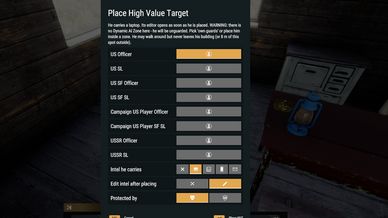
HIGH VALUE TARGETS
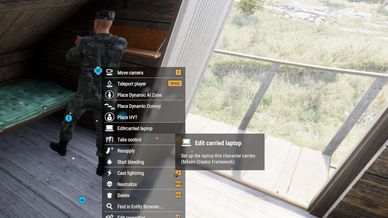
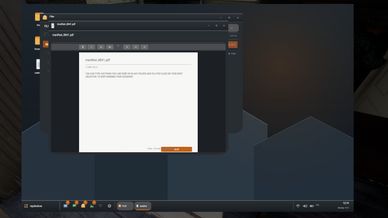
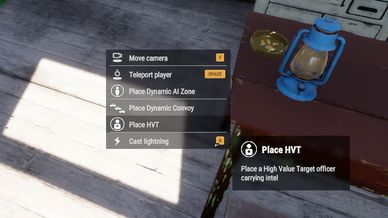
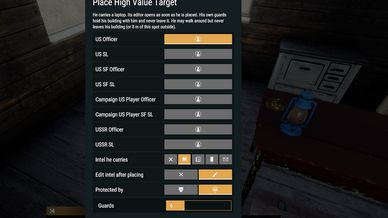
Officers carrying intel: a laptop, notebook, phone or handwritten letter. Write the intel in-game with Milsim Creator Framework.
Guarded by the zone they're in, or by their own bodyguards.
Players can capture an HVT: clear his guards and he surrenders. Escort him to an extraction point to extract him.
Optional: he flees in a nearby vehicle if attacked.
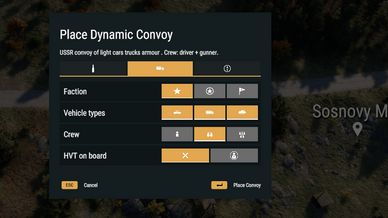
DYNAMIC CONVOYS
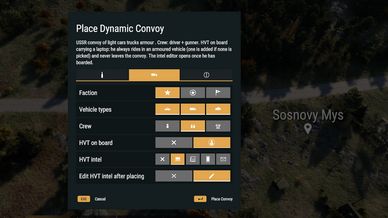
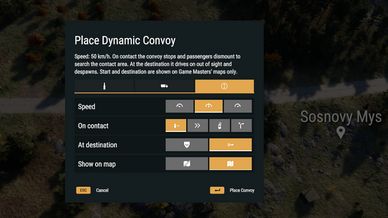
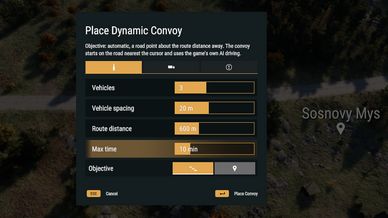
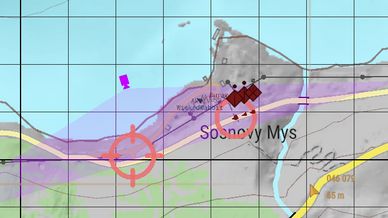
Vehicles drive real road routes, to an objective you pick or to a random one.
Set what they do on contact: dismount, push through, radio for help or reroute.
At the destination they hold the area or leave.
Optional HVT riding in an armoured vehicle.
CIVILIANS & TRAFFIC
Ambient people and cars that appear when players are near.
They run for cover or drive off when shots are fired.
PLAYER TASKS
One click creates "Clear Zone N" or "Neutralise <officer>" tasks.
Tasks complete automatically.
GM TOOLS
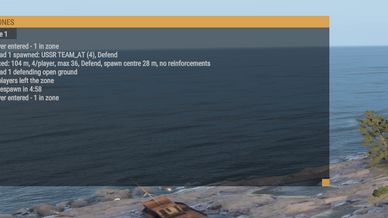
Live console showing AI alive, the current wave and players in each zone, plus a running event log. Click any line to fly the camera there.
Pause or resume every zone while you set up.
Change any zone's settings afterwards with Edit Properties.
Save and load whole mission layouts: 5 server-side slots.
REQUIREMENTS
These are installed automatically:
Milsim Creator Framework (Core + Intelligence)
Anarchy Map Markers
Anarchy Markers Compatibility
Civilians need a scenario that includes the CIV faction.
HOW TO USE
Open Game Master.
Right-click the ground and choose either Dynamic Zones or Dynamic Mission Builder
.
A step-by-step GM guide is available on our Discord.
Feedback and bug reports are welcome

https://discord.gg/Q98Tu4qYJ
License
Arma Public License (APL)