Summary
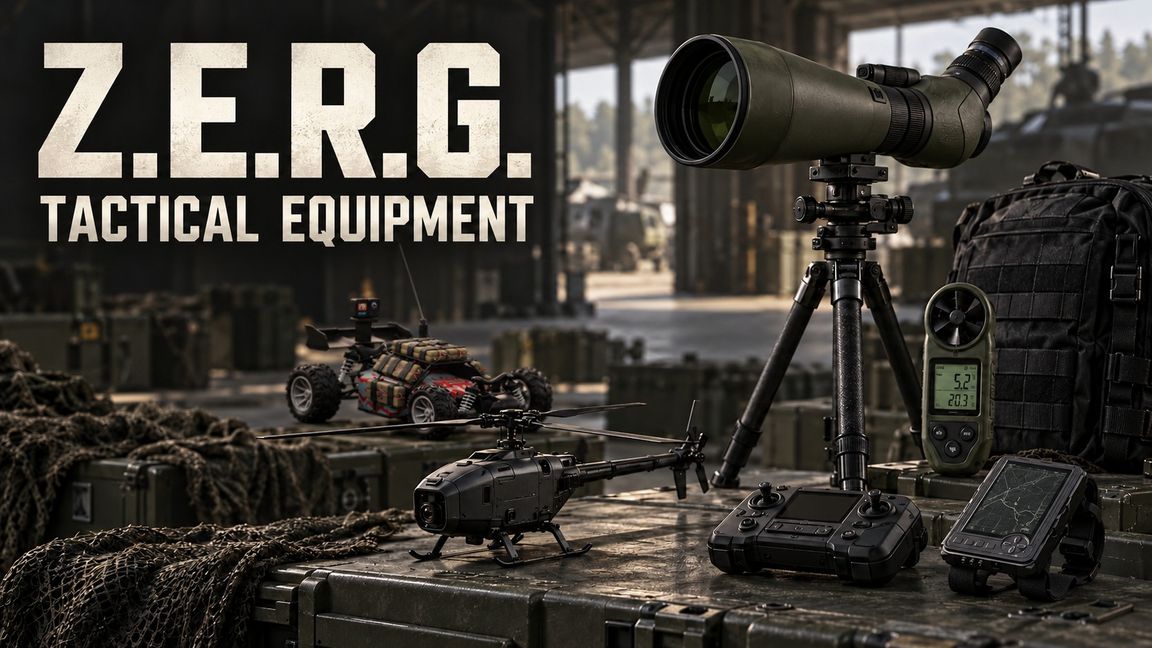
Z.E.R.G. Tactical Equipment Observation mit Spotter Pack und Kestrel, Black Hornet mit Tablet, Tactical Watch und Tactical Buggy. Reconnaissance and spotting equipment. Alpha for multiplayer testing.
Description
Z.E.R.G. TACTICAL EQUIPMENT - KURZANLEITUNG
Kontakt / Contact: Discord dorfstechertv
Anzeigename / Display name: Z.E.R.G. | Ares

Alpha | 13.10.2026 | PC-Standardtasten; eingeblendete Hinweise beachten.

OBSERVATION
1. Spotter Pack anlegen. Stativ hineinziehen: Es hängt sichtbar an der Seite.
   Nur dieser Rucksack nimmt das Stativ auf; kein Waffenslot nötig.
2. Stativ in die Hand nehmen, Blaupause platzieren und bestätigen.
3. Erst Scope, dann Kestrel jeweils in die Hand nehmen und montieren.
4. Stativhöhe anpassen, Augen höchstens 1,5 m ans Okular: "Durchschauen".
5. Schützen innerhalb von 10 m auswählen, geladenes Gewehr/Profil prüfen
   und mit Enter bestätigen. Mausrad/Pfeiltasten wechseln die Auswahl.
Maus: ausrichten | Alt + Mausrad: Zoom 0-50 | N: Nachtsicht | X: aussteigen.
Zum Einpacken: Kestrel abnehmen, Scope abnehmen, leeres Stativ einpacken.

KESTREL
In die Hand nehmen und inspizieren. Geräteaktionen: Ein/Aus, Seite wechseln,
LIVE/HOLD, Referenzrichtung und Einheiten. HOLD hält die Messung fest.

BLACK HORNET
Drohne halten und "Drohne starten". Tablet halten/einschalten, Drohne ansehen
und mit F koppeln. Zum Tablet schauen; Mausrad wählt, F bestätigt.
"Fullscreen / Gerät steuern" öffnet die Fernsteuerung.
WASD: fliegen | Shift/Strg: hoch/runter | Q/E: drehen | RMB + Maus: Kamera.
N: Nachtsicht | C: Rückruf | X: Vollbild verlassen.
Zum Verstauen Drohne zurückholen und freien Inventarplatz bereithalten.

TACTICAL WATCH
Am Handgelenk anlegen. Mit Alt/Freelook hinsehen und Interaktion drücken.
Menü: Ein/Aus, Radius 50/100 m, Karte, Kompass, Namen und Verbündete.
Mitglied + Farbquadrat: persönliche Squadfarbe; Weiß entfernt sie.

TACTICAL BUGGY
Im geeigneten leeren Rucksack transportieren, per Blaupause aussetzen,
einschalten und innerhalb von 5 m mit dem Tablet koppeln.
Fullscreen: native Fahrzeugsteuerung (WASD), X verlässt die Kamera.
ACHTUNG: R detoniert SOFORT; Funkverlust jenseits von 400 m ebenfalls!
Zum Aufnehmen anhalten, Steuerung verlassen, ausschalten; Rucksack leer.

ALPHA-HINWEIS
Ballistik benötigt gültiges Ziel, Gewehr, Munition und Nullung. Status lesen.
Windlösung derzeit nur für Spielversion 1.8.0.13 mit Vanilla + dieser Mod;
zusätzliche Mods sperren sie. Keine universelle Munitions-/MP-Garantie.

--------------------

Z.E.R.G. TACTICAL EQUIPMENT - QUICK GUIDE
Alpha | 13 October 2026 | Default PC keys; follow on-screen prompts.

OBSERVATION
1. Equip the Spotter Pack. Drag the tripod inside for visible side mounting.
   Only this pack accepts the tripod; no weapon slot is required.
2. Hold the tripod, position the ground blueprint and confirm.
3. Hold and attach the scope first, then hold and attach the Kestrel.
4. Adjust tripod height; bring your eyes within 1.5 m of the eyepiece.
   Select "Durchschauen" (look through).
5. Select a shooter within 10 m, check their loaded rifle/profile and confirm
   with Enter. Wheel/up/down arrows move through the selection.
Mouse: aim | Alt + wheel: zoom 0-50 | N: night vision | X: exit.
Packing order: remove Kestrel, remove scope, then pack the empty tripod.

KESTREL
Hold and inspect it. Device actions: power, page, LIVE/HOLD, reference
direction and units. HOLD freezes the measurement.

BLACK HORNET
Hold the drone and select "Drohne starten" (launch). Hold/power the tablet,
look at the drone and pair with F. Look at the tablet; wheel selects,
F confirms. Choose "Fullscreen / Gerät steuern" for remote control.
WASD: fly | Shift/Ctrl: climb/descend | Q/E: turn | RMB + mouse: camera.
N: night vision | C: recall | X: exit fullscreen.
Recall the drone and keep suitable inventory space free before stowing.

TACTICAL WATCH
Equip on your wrist. Use Alt/freelook to look at it and press interact.
Menu: power, 50/100 m radius, map, compass, names and allied contacts.
Member + color square: personal squad color; white clears the assignment.

TACTICAL BUGGY
Carry in a suitable empty backpack, deploy with the ground blueprint,
power on and pair with the tablet within 5 m.
Fullscreen: native vehicle controls (WASD); X exits the camera.
WARNING: R detonates IMMEDIATELY; radio loss beyond 400 m does too!
To retrieve: stop, exit control, power off and use an empty backpack.

ALPHA NOTE
Ballistics require a valid target, rifle, ammunition and zero. Read the status.
Wind solution currently requires game 1.8.0.13 with Vanilla + this mod only;
additional mods disable it. No universal ammunition or multiplayer guarantee.
License
Arma Public License No Derivatives (APL-ND)