Summary
GTG
Description
Muffin Mine Layer Trucks

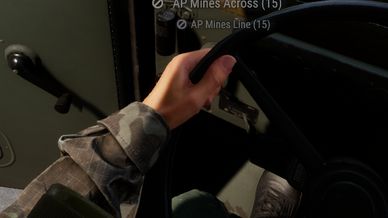
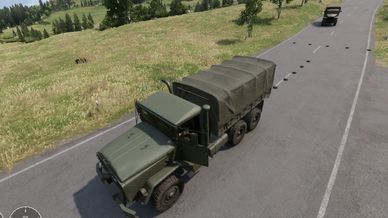
This mod adds dedicated mine layer truck prefabs. From the driver's seat you
lay a full row of LIVE mines behind the truck at the push of a button.

== Included vehicles (their own prefabs) ==
- Mine Truck US (based on M923A1)
- Mine Truck RU (based on Ural-4320)

== Features ==
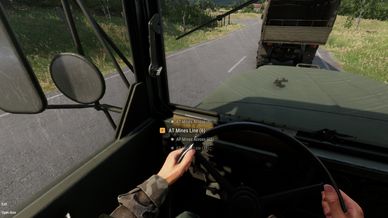
- Lay mines directly from the driver's seat - no need to get out
- Mines spawn ARMED and flat on the ground
- Auto-detects ALL mine types (AT / AP, US / RU) - any mine in the cargo works
- Pick category per button: AT mines or AP mines
- Pick pattern per button: ACROSS (barrier across the road) or LINE (trail behind the truck)
- Live mine count on the button, e.g. "AT Mines Across (12)"

== Default values ==
- Lays 5 mines per use
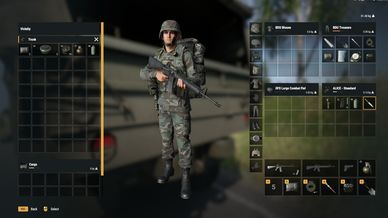
- Needs at least 5 mines in the cargo
- Cooldown: after 2 uses, a 3-minute lockout (shared across all buttons)

== Configurable ==
The amount of mines laid, the minimum required, and the cooldown time can all be
changed. Duplicate the truck prefab in the Workbench and edit the values on the
GTG_LayMineAction (inside the ActionsManagerComponent). Default cooldown is 3 minutes.

== How to use ==
1. Put mines into the truck's cargo (at least 5).
2. Get into the driver's seat.
3. Scroll to the mine action and place.

== IMPORTANT - these are separate prefabs, NOT auto-added anywhere ==
The trucks are their own prefabs shipped inside this mod. They are NOT added to
any spawn list automatically. To use them on a server - e.g. to let players
spawn them - you must add the prefabs yourself to the relevant list / config
(arsenal list, faction/spawn catalog, loadout or config files, Game Master
placeable list, etc.). This is a setup step for the mission maker / server admin.

Prefab paths:
- Prefabs/Vehicles/Wheeled/M923A1/Mine_layer_us.et
- Prefabs/Vehicles/Wheeled/Ural4320/Ural4320_transport_covered_CIV_base.et
License
Arma Public License Share Alike (APL-SA)