Summary
Adds a menu for switching seats while in a vehicle.

See description and images for further details.
Description
Quickly choose any seat without exiting the vehicle.
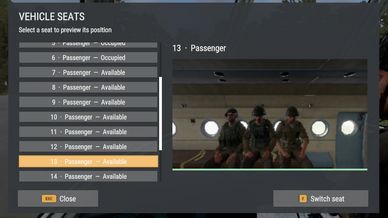
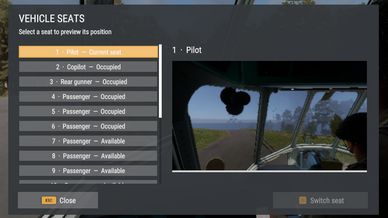
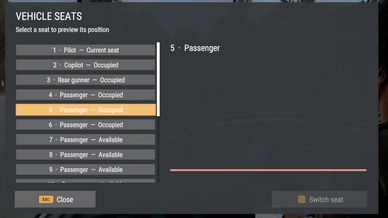
Open a simple seat menu to browse the vehicle's compartments and see a live preview from the selected position. Switch between accessible driver, passenger, gunner, and cargo seats, including truck beds and separate cabin sections.
Seat labels show availability, while a slim bar beneath the preview indicates the selected seat's status: green for available, red for unavailable, gray for your current seat, and amber while switching.
Occupied or blocked seats remain unavailable. Seat changes use an animation where supported, or move you directly to the selected seat when needed.


[Controls]
Open or close the menu: F7 on keyboard, or hold View and click the left stick on controller.
Switch to the selected seat: F on keyboard, Y / Triangle on controller, or select the Switch seat button.
Close: Escape on keyboard, B / Circle on controller, or select the Close button.

Controls can be changed in Settings > Controls > OSP Vehicle Seats.

The menu is available while seated in a vehicle and closes when you change seats or leave the vehicle.


[Open Source Project]
Break the lock, Build the future!
License
Arma Public License (APL)