Summary
Workbench toolkit for measuring per-prefab vehicle bounding boxes(AABB) and detecting changes between Arma Reforger builds.
Description
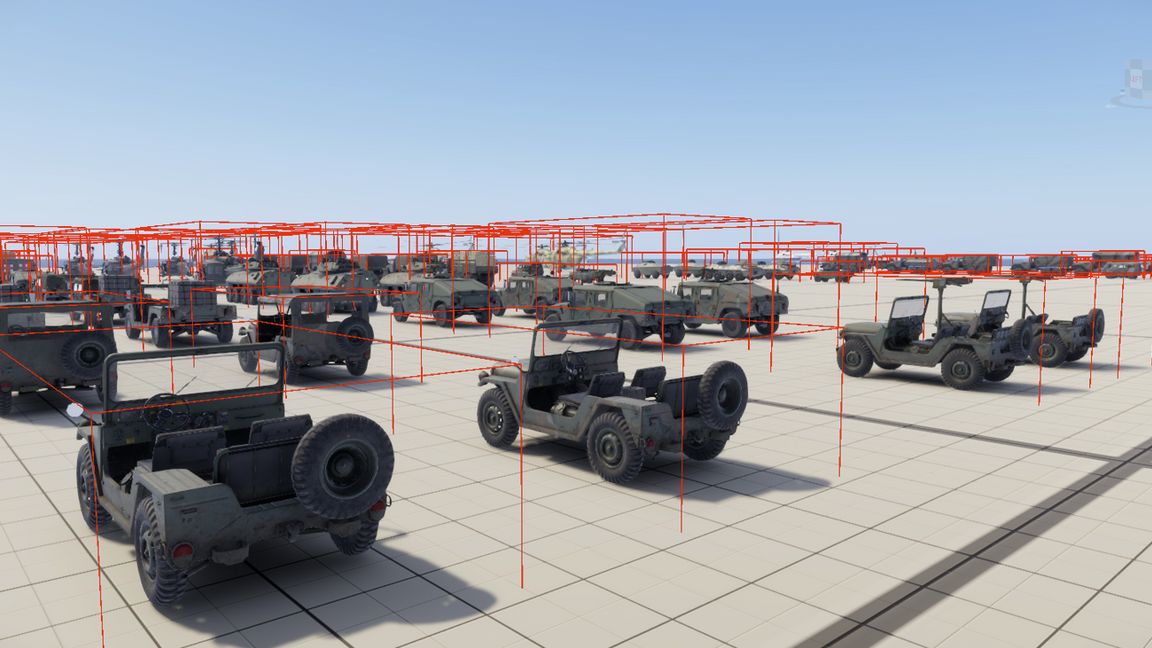
The toolkit maintains a controlled reference scene containing supported vehicle prefabs from the CIV, FIA, US, and USSR faction-specific VEHICLE catalogs. For every vehicle, it calculates an axis-aligned bounding box (AABB) around the vehicle root and all of its child entities, then stores the minimum and maximum coordinates relative to the vehicle root.

Features:

• Per-prefab vehicle bounding box measurement
• Exact validation of reference-scene coverage against faction vehicle catalogs
• Support for the CIV, FIA, US, and USSR factions
• Deterministic Candidate snapshot generation
• Comparison against a manually accepted Baseline
• Detection of added, removed, and geometrically changed vehicle prefabs
• Canonical reference-scene entity-name validation
• Base-game-only dependency

The generated data can be used for editor previews, vehicle placement validation, spacing calculations, procedural placement tools, and regression checks after Arma Reforger updates.

Recommended workflow:

1. Open the included vehicle-bounds reference scene in Workbench.
2. Run “VBT: Preflight fixture names”.
3. Run “VBT: Validate fixture coverage”.
4. Run “VBT: Generate bounds snapshot”.
5. Review all Candidate/Baseline differences before accepting a new Baseline.

All commands are available under:

Plugins > ME Vehicle Bounds Toolkit

Play mode is not required. This is a developer and Workbench tool; it does not add new vehicles or change vehicle behavior during normal gameplay.
License
Arma Public License (APL)