Summary
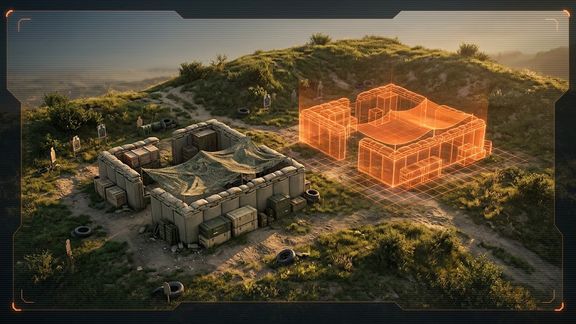
Save placed GM objects as reusable compositions. Browse them with Ctrl+Tab, preview in 3D, and place them with a full ghost that follows terrain. Private or shared with all GMs.
Description
**Description**

**2HGZ Compositor — custom compositions for Game Masters**

Build something once and place it again whenever you need it, like a shoot house, a checkpoint, a firebase or a training lane. 2HGZ Compositor lets Game Masters save any group of placed objects as a composition on the server, then browse, preview and place it like vanilla GM content.

**Saving**
- Select the placed objects (sandbag walls, props, fortifications, crates and so on), right-click and choose **Save as composition (2HGZ)**.
- Give it a name and a category, and choose **Private** (only you) or **Shared** (every GM on the server).
- Characters, vehicles, AI groups, waypoints and tasks are skipped automatically, and you're told how many were left out.
- You can overwrite an existing composition with a new selection, so it's easy to keep layouts up to date.

**Browsing**
- Open the composition browser with **Ctrl+Tab**, the **Compositions (2HGZ)** toolbar button, or right-click on empty ground. Tab still opens the vanilla content browser.
- Search by name, and filter by category or by **All / Mine / Shared**.
- See a **3D preview** of each composition: it rotates slowly, you drag to orbit and use the mouse wheel to zoom. A top-down blueprint view shows the exact footprint and placement point.
- Each entry lists its contents (for example "24 × Sandbag wall"), size, author, age and the map it was built on.
- Objects from mods that aren't loaded are flagged.

**Placing**
- Click **PLACE** and a ghost of the whole composition follows your cursor, using normal GM placement: rotate, adjust height, keep placing copies.
- On uneven ground, each object follows the terrain under it and keeps its height and tilt relative to the ground. Sea-level mode keeps the composition rigid.
- Placed objects are normal GM entities, grouped under one composition named after what you saved. Move or delete it as a unit, or enter it to edit single parts.

**Private and shared**
- Private compositions are visible only to the GM who saved them. Shared compositions are available to every GM on the server.
- Only the author, or a server admin for shared ones, can switch a composition between private and shared.
- The server checks every action, so private compositions stay private.

**For server admins**
- Compositions are stored as one JSON file each in `profile/2HGZ_Compositor/compositions/`. You can copy them between servers.
- `settings.json` sets the limits: objects per composition (400), total compositions (1000), private compositions per GM (200) and objects spawned per frame (20). It also sets whether only authors and admins may change shared compositions.
- The mod is standalone. It has no dependencies and doesn't override vanilla configs, layouts or action lists, so it works alongside other GM mods.

**Notes**
- Vanilla compositions are saved as their original prefab, so changes made inside them aren't kept.
- After a saved game is loaded, a placed composition's group shows as "Custom composition" instead of its name.

---
License
Arma Public License (APL)