WPF SPC - Smartphone Plate Carrier
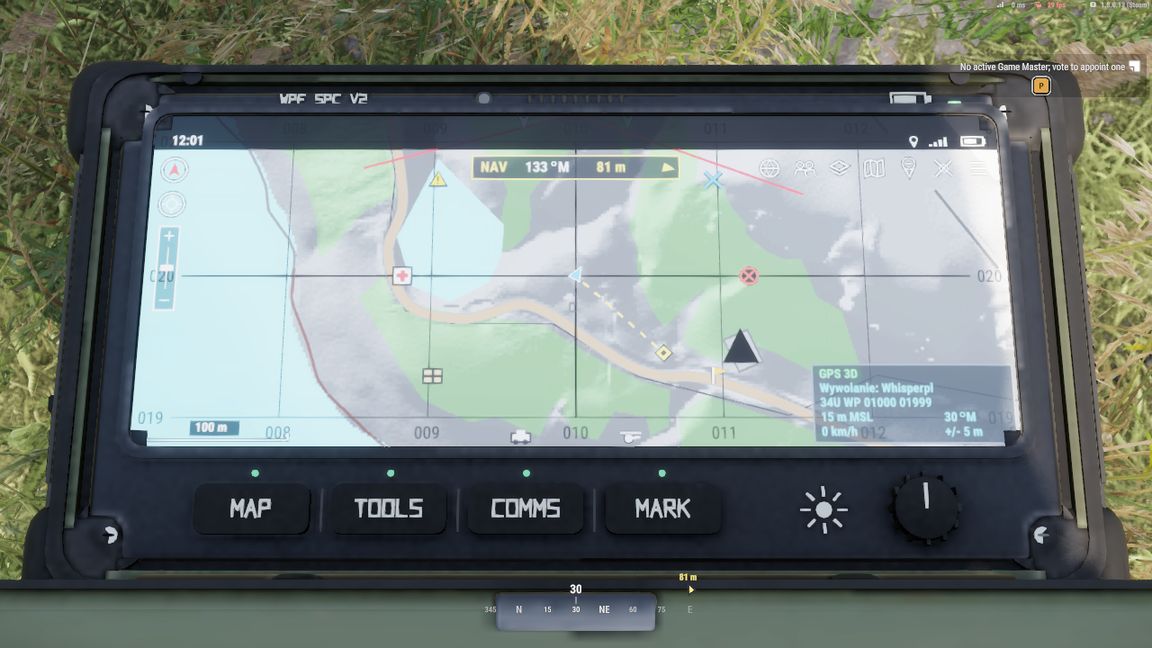
Tablet ATAK na kamizelce: mapa taktyczna, pozycje drużyny, rysowanie, znaczniki i nawigacja.

=== KLAWISZE ===
F6 (lub Ctrl+U)   otwórz / zamknij SPC na kamizelce
F7                przybliż ekran SPC (spojrzenie na tablet)
F4 / F5           skala ekranu SPC: przybliż / oddal (150 m do 2400 m)
F8 (lub Ctrl+I)   pełna mapa taktyczna "Tactical Awareness"
M                 zwykła mapa gry (z paskiem rysowania SPC)
Klawisze zmienisz w: Ustawienia > Sterowanie > kategoria "WPF SPC".

=== MAPA F8 ===
LPM               wybrane narzędzie / kliknięcie
PPM               przesuwanie mapy
Kółko myszy       skala mapy
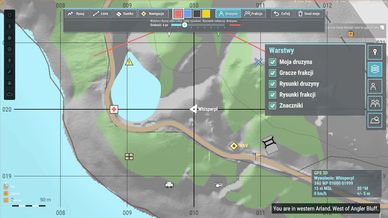
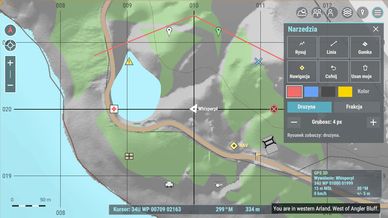
Zakładki u góry   MAPA, DRUŻYNA, ZNACZNIKI, WARSTWY, NAV, MENU
Lewa kolumna      północ, centruj na mnie, +/-, linijka (odległość i namiar), znaczniki
MENU              kolor interfejsu (5 do wyboru), pogoda i czas, lista klawiszy

=== CO POTRAFI ===
- Pozycje członków drużyny i graczy frakcji na mapie i na ekranie SPC.
- Rysowanie (wolna linia, linia prosta, gumka, cofnij), 6 kolorów, kanał Drużyna lub Frakcja.
- 10 znaczników taktycznych z informacją: autor, czas, współrzędne, odległość.
- Punkt nawigacyjny: SPC i kompas prowadzą do celu i pokazują odległość.
- Kompas na HUD z kolorowymi trójkątami drużyny.
- Warstwy: włączanie i wyłączanie drużyny, frakcji, rysunków, znaczników i siatki.
- Dwa modele (V1 i V2), V2 w kolorach coyote, czarny i ranger green. Do zdobycia w arsenale.
- Lekki dla słabszych komputerów: zamknięty SPC prawie nic nie liczy.

Model V1: pokrowiec na bazie modelu autorstwa 流火夜 (MakerWorld, CC BY 4.0).
Model V2: zaprojektowany i zbudowany od zera przez WPF.
Mod do użytku wyłącznie na serwerach WPF / Dziupla Gier. Pełna licencja w LICENSE.txt.

------------------------------------------------------------

WPF SPC - Smartphone Plate Carrier
ATAK-style tablet on your vest: tactical map, squad positions, drawing, markers and navigation.

=== KEYS ===
F6 (or Ctrl+U)    open / close the SPC on your vest
F7                look closer at the SPC screen
F4 / F5           SPC screen scale: zoom in / out (150 m to 2400 m)
F8 (or Ctrl+I)    full "Tactical Awareness" map
M                 regular game map (with the SPC drawing bar)
Rebind in: Settings > Controls > category "WPF SPC".

=== F8 MAP ===
LMB               selected tool / click
RMB               pan the map
Mouse wheel       map scale
Top tabs          MAP, SQUAD, MARKERS, LAYERS, NAV, MENU
Left column       north, center on me, +/-, ruler (distance and bearing), markers
MENU              interface colour (5 options), weather and time, key list

=== FEATURES ===
- Squad and faction player positions on the map and on the SPC screen.
- Drawing (freehand, straight line, eraser, undo), 6 colours, Squad or Faction channel.
- 10 tactical markers with author, time, coordinates and distance.
- Navigation waypoint: the SPC and compass guide you and show the distance.
- HUD compass with coloured squad triangles.
- Layers: toggle squad, faction, drawings, markers and grid.
- Two models (V1 and V2), V2 in coyote, black and ranger green. Available in the arsenal.
- Light on low-end PCs: a closed SPC costs almost nothing.

V1 model: pouch based on a model by 流火夜 (MakerWorld, CC BY 4.0).
V2 model: designed and built from scratch by WPF.
For use on WPF / Dziupla Gier servers only. Full license in LICENSE.txt.