Summary
Operate the Orion UAV with a custom sensor HUD, EO/IR cameras, mission planning and spotted-contact map updates every 10 seconds while targets remain observed.
Description
Orion Reconnaissance Drone

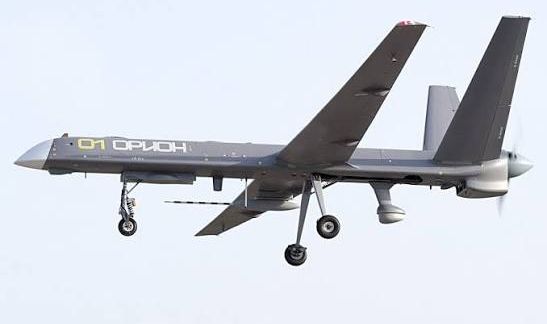
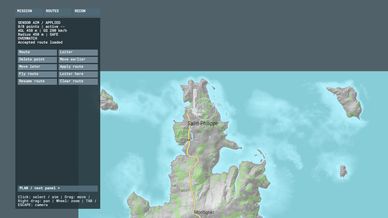
Bring aerial reconnaissance and persistent overwatch to Arma Reforger. Operate a detailed domestic Orion UAV from its control terminal, switch between flight and sensor views, plan routes, and share observed contacts through the mission map.

FEATURES

- Detailed Orion airframe with animated landing gear, propeller and sensor gimbal.
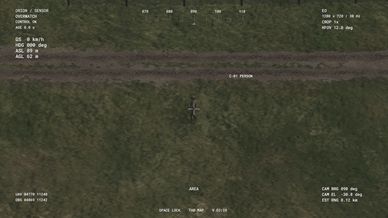
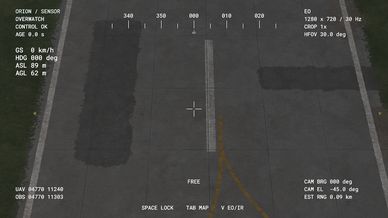
- Custom pilot and sensor interfaces, with readable telemetry, camera bearing, field of view and connection status.
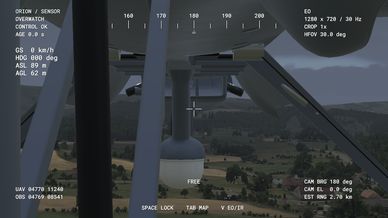
- Continuous 360-degree horizontal sensor movement. The airframe and landing gear remain visible when they physically obstruct the camera.
- EO and white-hot/black-hot thermal modes, 30/12/4-degree optical field-of-view presets and a separate 2x digital crop.
- Standard, High and Economy feed settings, adjustable interface scaling, sensitivity and vertical inversion.
- Mission-map route planning, loiter controls, saved routes and reconnaissance reports.
- Automatic spotting of eligible visible personnel. Map contacts refresh every 10 seconds while observation continues. When sight is lost, markers retain the last observed position instead of following unseen targets.
- Faction-filtered reconnaissance contacts and server-confirmed mission changes.
- Server-controlled ground or airborne initialization for newly spawned drones.
- Engine startup, shutdown and onboard monitoring audio. Engine sound starts on the ground without needing to take off.

GETTING STARTED

Load the mod and its required dependencies, then use a scenario containing the Orion aircraft and control terminal. Interact with the terminal, select an available aircraft and connect. Use the on-screen prompts to switch views, open the mission map and access sensor settings.

SERVER SETUP

Server owners can choose the initial spawn mode in $profile:Orion/ServerConfig.json:

{"version": 1, "spawnMode": "ground"}

Use "air" for an airborne start configured at 450 m above ground, 200 km/h, engine on and landing gear retracted. Ground mode is the default. The setting applies to fresh aircraft; reconnecting does not relocate an existing drone.

REQUIRED DEPENDENCIES

- Propeller Flight Core
- ThermalPostProcessAssets

CURRENT RELEASE NOTES

R20 restores visibility of the drone itself from the sensor camera. R19 fixes silent ground engine startup and sound-loop shutdown/restart.

This is a development release. Thermal uses a weather-driven compatibility model, and results depend on the thermal materials of observed assets. Dynamic sound volume/pitch modulation still needs refinement; the sounds are an approximation, not authenticated Orion recordings. Dedicated multiplayer and extended flight acceptance remain pending.

When reporting an issue, include your game version, mod list, spawn mode and steps to reproduce it.
License
Arma Public License (APL)