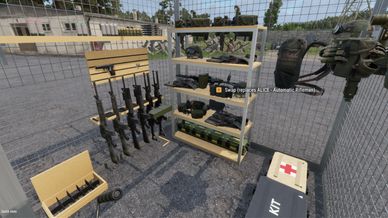
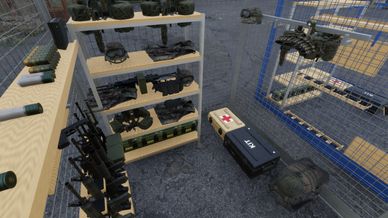
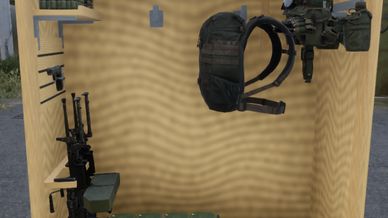
Gear cages for your team room that keep each player's own kit, on every server.

WALK-IN CAGE (grey or blue, standard or big)
- Claim a free cage at the sign; your dog tag name (or player name) appears on the door plate.
- The sign and clipboard are used from outside the cage. Inside, you only see your racks, hooks and shelves; look up to switch the light.
- Store my kit: weapons on the rifle rack and pistol hooks, helmet, plate carrier, rig, belt and packs on their hooks, uniform and boots on the shelves and boot tray. Pocket items go into the cases.
- Kit locker: drag gear into it and it goes on its rack, hook or shelf by itself. Small items and anything without a free spot stay in the locker. Gear up, Store my kit and Save kit are on the locker too.
- Look at a rack, hook rail or the infil wall to rack or hang what you carry.
- Full magazines and smokes stack on the mag shelf; frags, flashbangs and smokes each have their own tray. Take 1 or Place 1 at the mag shelf and grenade crates.
- Infil wall: parachute hook, two jump / dive bag hooks, an infil shelf and O2 bottle spots.
- Gear up puts your worn gear back on. Pick up anything else by hand: it goes into a free slot or a pouch or pack with room, never onto the floor.
- Lock the door, switch the light to white, red or off.
- Patch board on the front: stick patches on it, turn them until they look right, take them back. Everyone sees it; only you can use it.
- The big cage adds a gear table with medical, kit, comms and demo cases under it and room for anything on top.
- Reset (hold) clears the cage to start over.
- Nothing in your cage can be taken by another player, and only you open your door.

KIT BOARD
- The clipboard on the front of every cage (and in every cubby) opens your kit board.
- Click an item, then click where it goes. Combine stacks, stack your mags.
- Download buttons put away smokes, frags, bangers, mags, meds, tools or everything you carry.
- Click a case to see what is in it and take items out.
- Mark items K1 or K2, then Gear up Kit 1 or Kit 2. Gear up only takes from your own cage.
- Save as my kit: a Game Master restock puts exactly this back.

ON EVERY SERVER
- Your kit is kept on the server and a copy on your PC. Claim a cage on any server running the mod and the newest copy loads.
- Items from mods a server doesn't run are kept aside and come back where they load.

COP CUBBY
- Open plywood cubby for a patrol base or COP with rifle rack, pistol hook, mag shelf, hooks, shelves, a kit locker and a white / red light.
- Take 1 or Place 1 at its mag shelf.
- The cubby keeps its own save, separate from your walk-in cage.

READY-ROOM PROPS
50 props for a special operations ready room: briefing table, map wall, OPORD whiteboard, comms desk, charging racks, cleaning bench, workbench, parachute table, trauma wall, ammo and grenade pallets, plaque wall, unit flag, couch, coffee station, gym gear, go-bags, rucks, sandbags, cots and more.

GAME MASTER
- Everything is in the GM menu (search "team room", "cage", "cubby" or "JTF").
- Cage Properties > Team Room: Restock now, Release the cage.

Requires JTF Bronze Core and JTF Bronze Dog Tags.

To view other mods search JTF Bronze in Workbench.
Made for JTF Bronze Squadron. Provided as-is, no support.