Summary
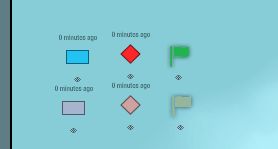
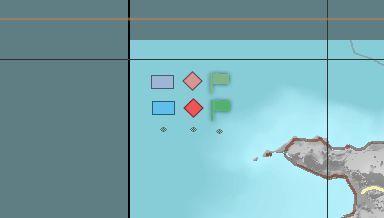
Player-placed map markers gradually fade by lowering opacity if left untouched. Moving a marker restores full visibility.
Description
Marker Fade makes unused map markers look older over time by lowering their opacity (alpha). The original color stays the same — only transparency changes.

How it works:
- After 1 minute idle, a marker starts fading
- Over the next 4 minutes it reaches minimum opacity (default 0.45)
- Moving or updating a marker resets the fade
- Affects player-owned custom and military markers
- Server/briefing markers, map drawings and lobby zone overlays are ignored

FAD_FadeGameModeComponent:
- Enable / disable
- Idle time before fade starts
- Fade duration to max transparency
- Minimum alpha at max fade

Works with these defaults if the component is not added to the GameMode.

Useful for distinguishing fresh intel from outdated markers.
License
Arma Public License (APL)