Summary
Mortar tablet
control in bio
Description
Mortar tablet just take a look by u self


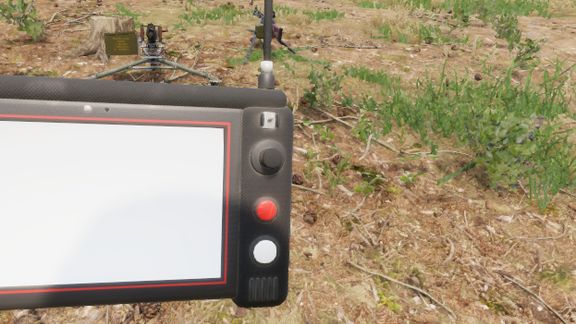
TRK-900 MORTAR TABLET - CONTROLS

The tablet shows the map, your target and the firing data for up to 4 mortars.
It does NOT fire or aim the mortar for you - the gunner lays the mortar by hand using the values on the tablet.

-----------------------------------------
GETTING STARTED
-----------------------------------------
1. Take the "TRK-900 Mortar Tablet" from the arsenal (Equipment).
2. Go to a mortar (2B14 or M252) and select "Connect Mortar Tablet". Repeat for up to 4 mortars (range 1500 m).
3. Equip the tablet and inspect it. Look at the Power switch (right side) and select "Open Tablet".
4. Turn the tablet on: flip the POWER switch, then the SYSTEM switch. The tablet boots and logs in.
5. Move the crosshair onto the target and press ENTER. The firing data appears.
6. Lay the mortar by hand. The mortar list shows how far off it still is (e.g. "AZ +12  EL -5").
   When it shows a green "LAID", the mortar is on target.

-----------------------------------------
MOUSE & KEYBOARD
-----------------------------------------
Click the buttons on the tablet with the mouse. Joysticks: hold the left mouse button on the stick and drag.

POWER switch ........ Device on / off
SYSTEM switch ....... Boot system (login)
ANTENNA switch ...... Radio link to the mortars on / off
Power button (top right) ...... Standby (screen off)
Sun button (top left) ......... Brightness (10 steps, each press darker)
Left joystick ....... Move the map
Right joystick ...... Move the crosshair
D-pad up / down ..... Select mortar (in menus: select line)
D-pad left / right .. Zoom out / zoom in
LOCK ................ Zoom in step by step (after the last step back to full map)
ENTER ............... Set target at the crosshair
REC ................. Save target to the target list
MENU ................ Menu (Map, Mortars, Target List, Fire Calculator, Comms)
MODE ................ Angles in mils / degrees
COMM ................ Comms page (link status, distance)
BACK ................ Back / clear target
FIRE ................ Not used

Close the tablet: ESC, F, right click, or click outside the tablet.

-----------------------------------------
CONTROLLER / CONSOLE
-----------------------------------------
View ................ Device on / off (Power + System)
Left stick / D-pad .. Move the map (in menus: select line)
Right stick ......... Move the crosshair
LT / RT ............. Zoom out / zoom in
LB / RB ............. Previous / next mortar
A ................... Set target (Enter)
B ................... Back (closes the tablet if there is nothing to go back to)
X ................... Save target (Rec)
Y ................... Menu
L3 .................. Angles in mils / degrees
R3 .................. Brightness
Start ............... Close the tablet

-----------------------------------------
THE SCREEN
-----------------------------------------
Top bar ........ Units, target grid, signal strength, time
Map ............ Mortars (M1-M4), crosshair, target (red), saved targets (T1-T9), grid
Right panel .... Mortars: status ("AZ / EL" still to adjust, "LAID", "OUT OF RANGE", "NO LINK"),
                 shells in the mortar, distance to the mortar
Bottom bar ..... Firing data for the selected mortar:
                 TGT (target grid), DIST (distance), AZ (azimuth), ELEV (elevation),
                 CHG (charge rings), TOF (time of flight)

-----------------------------------------
MENU PAGES
-----------------------------------------
Mortars ........... ENTER select mortar, REC unlink mortar
Target List ....... ENTER set as target, REC delete
Fire Calculator ... All values to lay the selected mortar by hand, plus the current tube position
Comms ............. Link status and distance of every mortar, antenna state
License
Arma Public License (APL)