Summary
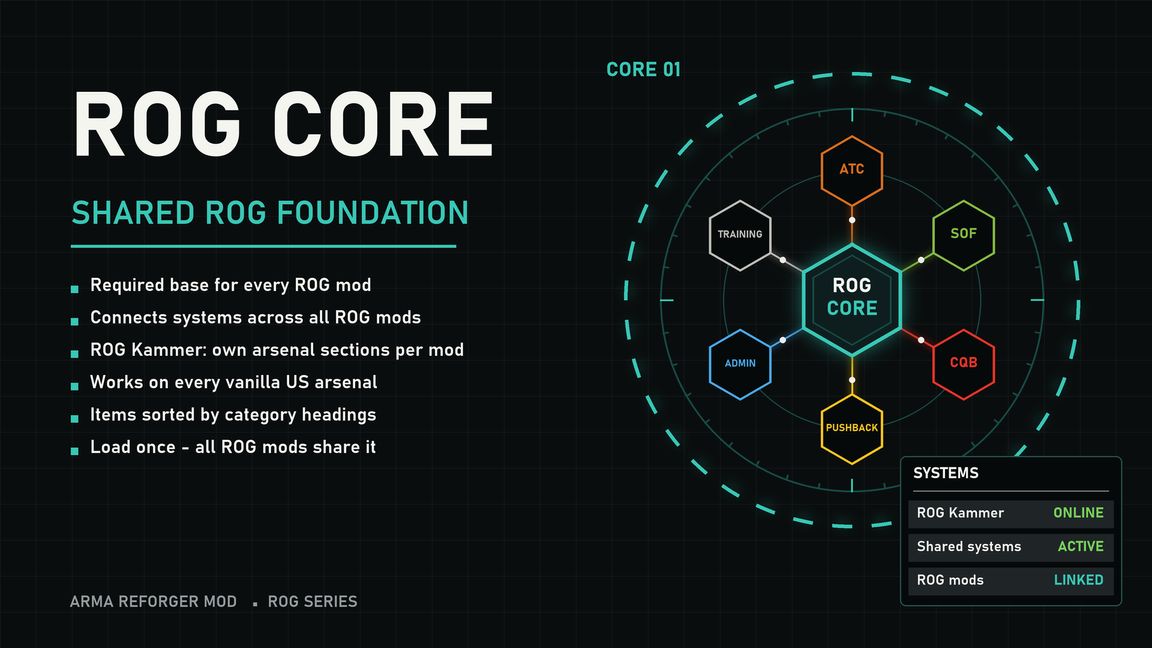
ROG Core is the shared base of the ROG mod series and connects systems across all ROG mods. Load it once and every ROG mod uses the same core instead of bringing its own copy.
Description
=== DESCRIPTION (EN) ===
ROG CORE - SHARED ROG FOUNDATION

ROG Core is the base mod of the ROG series. It does not add gameplay on its own. It contains the systems that several ROG mods use together, so they work with each other and nothing is loaded twice.

Every ROG mod lists ROG Core as a dependency. The Workshop downloads it automatically.

WHAT IT CONTAINS
- Shared systems for all ROG mods (ATC, SOF, CQB, Pushback, Admin Controlpanel, Training)
- ROG Kammer: an extra section on every vanilla US arsenal
- Items from ROG mods appear in the ROG Kammer, sorted under category headings
- Looks and works like the vanilla arsenal: take items out, put them back or delete them
- Open it with the "ROG Kammer" action on the arsenal or from the vicinity

FOR MOD MAKERS
- Add the "ROG Kammer" component to an arsenal and enter one category name per section with "+"
- Add the "Arsenal Kategorie" component to an item and enter the same category name
- The item then appears only in the ROG Kammer under that heading. No config or catalog entry is needed.

NOTES
- Server and clients need ROG Core (loaded automatically as a dependency)
- More shared systems will move into ROG Core over time

ARMA REFORGER MOD - ROG SERIES


=== BESCHREIBUNG (DE) ===
ROG CORE - GEMEINSAME BASIS DER ROG-MODS

ROG Core ist die Basis-Mod der ROG-Reihe. Sie bringt allein kein eigenes Gameplay mit. Sie enthält die Systeme, die mehrere ROG-Mods gemeinsam nutzen, damit sie zusammenarbeiten und nichts doppelt geladen wird.

Jede ROG-Mod hat ROG Core als Abhängigkeit. Der Workshop lädt sie automatisch mit herunter.

INHALT
- Gemeinsame Systeme für alle ROG-Mods (ATC, SOF, CQB, Pushback, Admin Controlpanel, Training)
- ROG Kammer: ein zusätzlicher Bereich an jedem Vanilla-US-Arsenal
- Gegenstände aus ROG-Mods erscheinen in der ROG Kammer, sortiert unter Kategorie-Überschriften
- Aussehen und Bedienung wie im Vanilla-Arsenal: Gegenstände herausnehmen, zurücklegen oder löschen
- Öffnen über die Aktion „ROG Kammer“ am Arsenal oder über die Umgebung

FÜR MODDER
- Am Arsenal die Komponente „ROG Kammer“ hinzufügen und mit „+“ je Abschnitt einen Kategorienamen eintragen
- Am Gegenstand die Komponente „Arsenal Kategorie“ hinzufügen und denselben Kategorienamen eintragen
- Der Gegenstand erscheint dann nur in der ROG Kammer unter dieser Überschrift. Eine Config oder ein Katalog-Eintrag ist nicht nötig.

HINWEISE
- Server und Clients brauchen ROG Core (wird als Abhängigkeit automatisch geladen)
- Weitere gemeinsame Systeme werden nach und nach in ROG Core verschoben

ARMA REFORGER MOD - ROG SERIES
License
Arma Public License No Derivatives (APL-ND)