Summary
Know your stance. Survive the next second.
Crouched, prone, sprinting for your life? Your character's posture decides who gets spotted and who gets shot. Now it's always on your screen.
Description
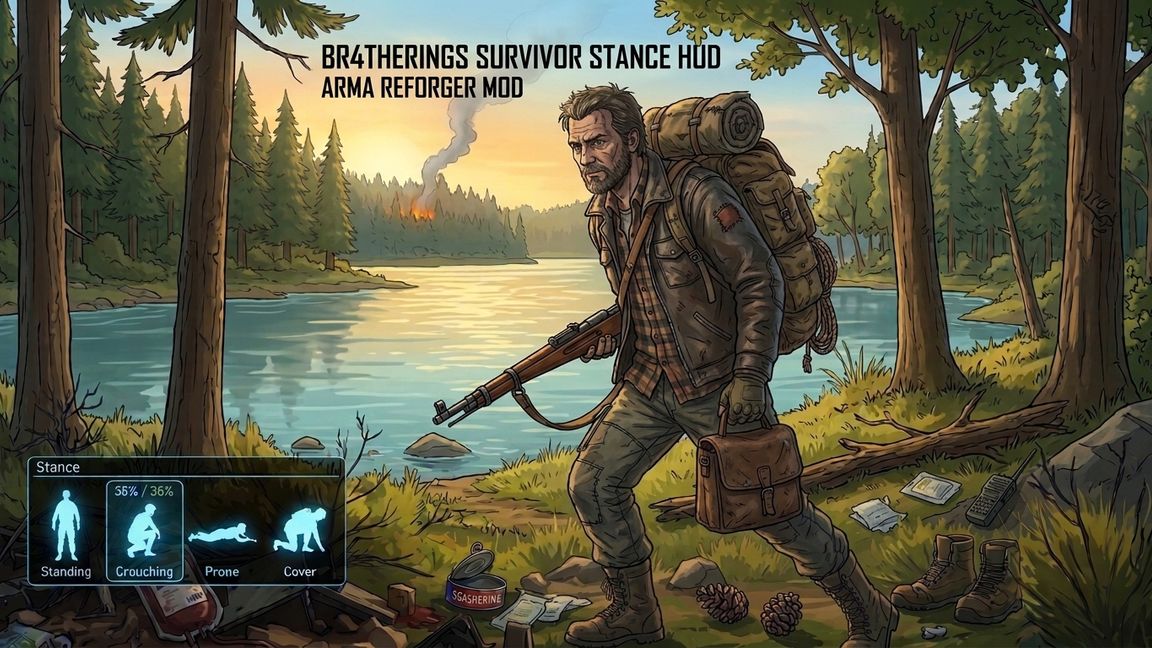
A slim survivor silhouette sits in the corner of your HUD and updates live:

- Stand, walk, run, sprint, crouch, prone: six icons, one glance
- Glowing cyan survivor look with backpack and rifle, built for tense moments
- Docked glass panel that sits flush against the screen edge
- Hides itself when you're dead or in a vehicle

Server-controlled, fully configurable
The server admin decides how it looks for everyone, all in one simple JSON file:

- Corner: top/bottom, left/right
- Exact X/Y offset, so it never covers your ammo counter
- Size, opacity, icon color
- Panel on or off, background color, corner radius, padding

No scripts to edit, no extra components to place. Add the mod, start the server, done.

HUD only. No gameplay changes, no balance changes.


--------


Server configuration
Look and position are set by the server. On first start the file StanceIndicator.json is created with default values in the server's profile folder ($profile:StanceIndicator.json). The values are replicated to all clients. Changes take effect the next time the server or scenario starts. If an older file is missing a field, the default value is used.
{
 "m_sCorner": "BottomRight",
 "m_iSize": 96,
 "m_iMargin": 32,
 "m_iOffsetX": 0,
 "m_iOffsetY": 0,
 "m_sColor": "#8FEAFF",
 "m_fOpacity": 0.85,
 "m_bBackground": true,
 "m_iPadding": 8,
 "m_iCornerRadius": 10,
 "m_sBackgroundColor": "#1F2B3A",
 "m_fBackgroundOpacity": 0.4
}

Field
Meaning
Default
m_sCorner
Corner: TopLeft, TopRight, BottomLeft, BottomRight
BottomRight
m_iSize
Icon edge length in pixels (16-512)
96
m_iMargin
Distance to the screen edge in pixels (0-500)
32
m_iOffsetX
Extra shift in pixels, positive = right (-4000 to 4000)
0
m_iOffsetY
Extra shift in pixels, positive = down (-4000 to 4000)
0
m_sColor
Icon tint as hex RGB, #8FEAFF = light cyan, FFFFFF = no tint
#8FEAFF
m_fOpacity
Icon opacity (0.0-1.0)
0.85
m_bBackground
Semi-transparent panel behind the icon, flush with the left/right screen edge (rounded corners on the inner side only)
true
m_iPadding
Space between icon and panel border in pixels (0-64)
8
m_iCornerRadius
Radius of the panel's rounded corners (inner side only) in pixels (0-48)
10
m_sBackgroundColor
Panel color as hex RGB
#1F2B3A (dark grey-blue)
m_fBackgroundOpacity
Panel opacity (0.0-1.0)
0.4
License
Arma Public License (APL)