Summary
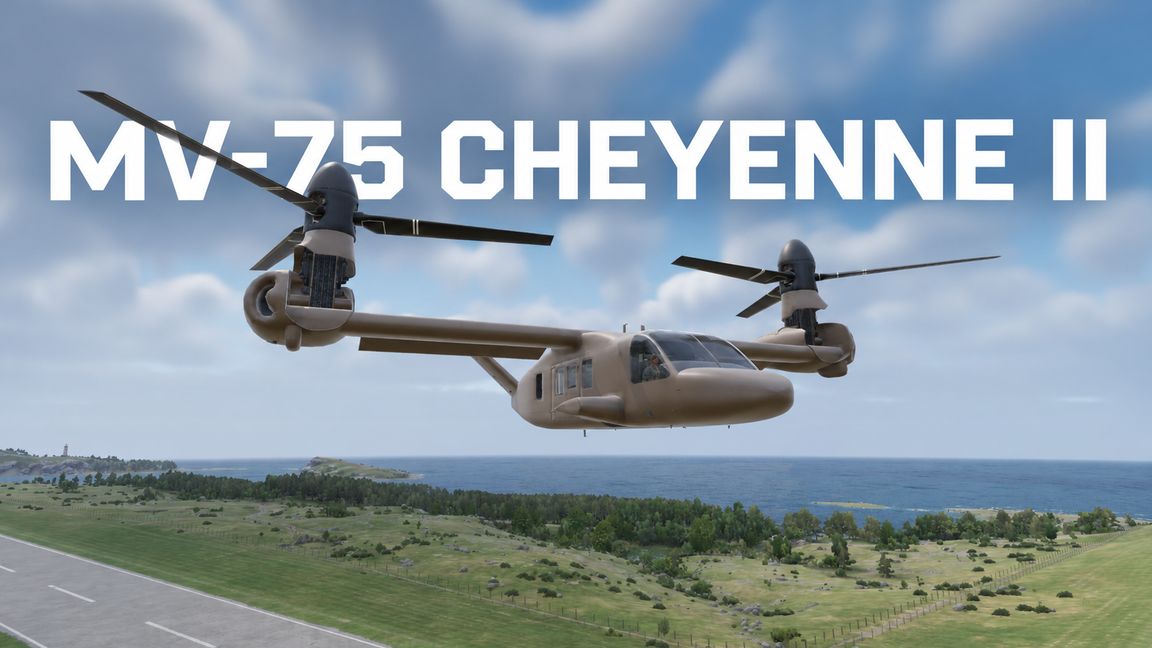
The MV-75 Cheyenne II tiltrotor on Rotor Framework: fly-by-wire controls, tilting nacelles, retractable gear, a wide touchscreen cockpit display and 12 troop seats.
Description
MV-75 Cheyenne II

The US Army's next-generation long-range assault aircraft, built on Rotor Framework. It takes off and lands like a helicopter, then tilts its proprotors forward and cruises like an airplane.

This is an ALPHA release. The aircraft is flyable and feature-complete enough to test, but the flight laws are still being tuned and you will find rough edges. Feedback and bug reports are very welcome.

CREW AND CABIN
- Two pilots side by side, plus 12 troop seats in the cabin
- Custom get-in animations for the pilots and troops, with animated cabin doors
- Pilot hands and feet follow the controls

TILTROTOR FLIGHT
- Proprotors and nacelles tilt from vertical to full forward flight
- Nacelle keys: tap for a step, hold to slew ([ and ] by default, rebindable)
- At full forward nacelle, one more tap selects the lower cruise rotor RPM. The first aft tap restores hover RPM before the nacelles move
- Every rotor and engine is simulated by Rotor Framework: lift comes from the air through the blades, the engines have to spool up and make power, and the gearbox has real torque limits

FLY-BY-WIRE
- The stick commands attitude and the aircraft holds it. Let go and it stays where you put it
- Attitude limits change with airspeed, so the aircraft won't let you put it somewhere it can't recover from
- Hover hold, altitude hold and airspeed hold, bindable from the Rotor Framework section of the keybinding menu
- Fly-by-wire means it needs power: lose all electrical power and you lose the flight controls

LANDING GEAR
- Fully animated suspension and retractable gear with sequenced gear doors
- Raise and lower it from the cockpit or with the Landing Gear key (N, or hold LS on a controller)
- The gear can't be raised with weight on the wheels, and a gear-up landing puts the belly down
- Gear status light on the vehicle HUD next to the parking brake

COCKPIT
- One wide touchscreen display across the panel, inspired by the real aircraft: copilot flight display and navigation display, a centre page for engines, power, fuel and warnings, and the pilot's flight display with a moving map
- The display comes on by itself when the aircraft has electrical power
- Rotor Framework's electrical and hydraulic systems, crew alerting, standby flight and situation displays on the HUD, and the Performance Planning Card

SOUND
- Its own sound set, mastered from a recording of the real aircraft's demonstration flights

REQUIRES
- Rotor Framework
- MFD Framework
These are picked up automatically as dependencies.

KNOWN ALPHA LIMITATIONS
- Flight control limits and nacelle conversion limits are placeholders until tuning is finished
- Only one moving map can run at a time in Reforger, so the copilot's side shows the navigation display without map tiles

Feedback and bug reports: Discord @colton1070
License
Arma Public License (APL)