Summary
** WIP **
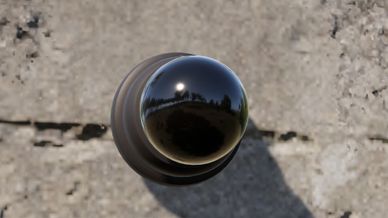
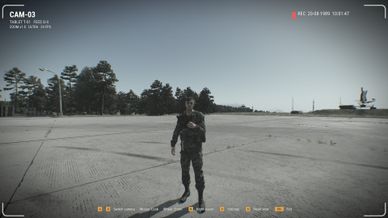
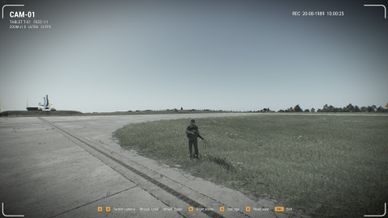
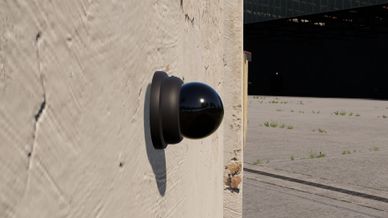
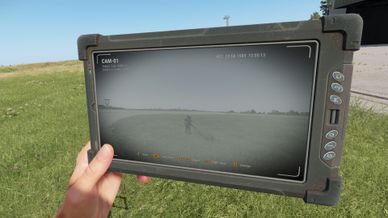
Place cameras on walls, vehicles, trees and ceilings and watch them live on a handheld tablet. Look around, zoom, switch feeds, use night vision.
Description
lace a camera, walk away, watch it on your tablet.

HOW IT WORKS
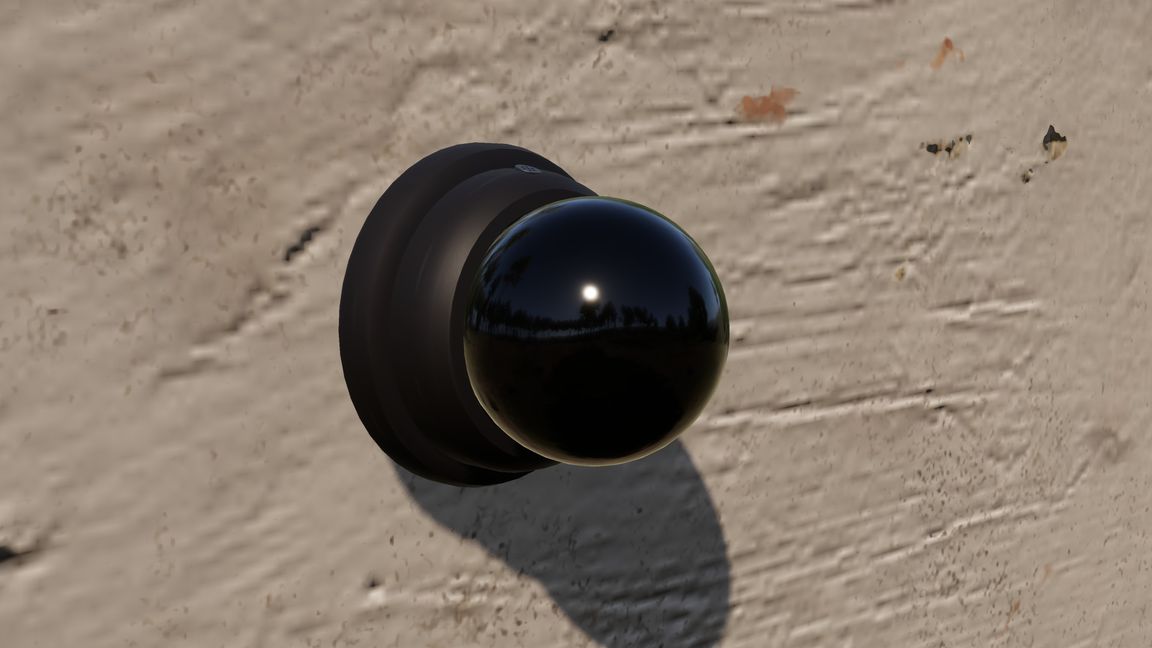
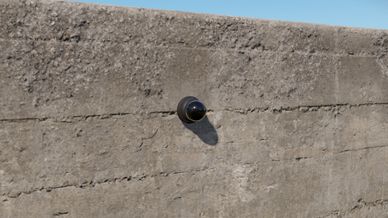
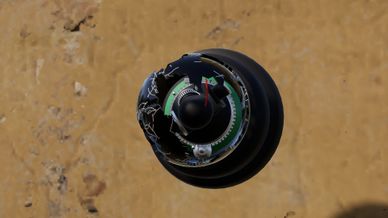
- Camera: a small glass dome with a microphone. Place it like an explosive charge on a wall, tree, ceiling or vehicle; on a vehicle it moves along. Pick it up again any time.
- Linking: a camera you place while carrying a tablet belongs to that tablet. To take over a placed camera (also one of the other side), use "Link to my camera tablet" on it. A tablet takes 20 cameras.
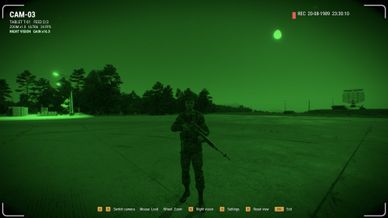
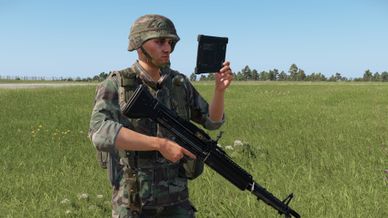
- Tablet: press I or take it out and the feed appears on its screen. Your weapon stays in your other hand. In a vehicle, I opens the feed full screen.
- Feed: look around, zoom, switch between cameras, night vision with automatic gain. You see yourself in a camera, head and all.
- Full screen: if you prefer, the feed fills your whole screen instead (Settings: Show the feed). It draws distant trees and buildings in more detail than the tablet and you hear the sound around the camera; on the tablet you hear your own surroundings.
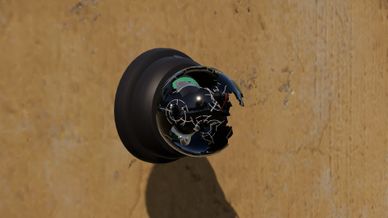
- Destroyed: shoot a camera and the dome shatters. It goes offline and the wreck stays on the wall (two minutes by default).
- Offline: when a camera of the tablet you carry is destroyed, picked up by someone else or linked to another tablet, a hint tells you.
- Saved games: placed cameras, their links and the tablets come back when a saved game is loaded (Conflict, Game Master, servers that save), also a camera on a vehicle and the ones in an inventory.

SETTINGS
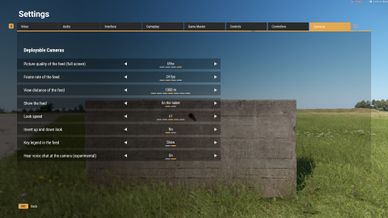
In the feed (O, then arrow keys, W / S / A / D or d-pad; Esc closes the panel) or in Settings > Cameras; both keep the same choices:
- Picture quality full screen: low, medium, high (default) or ultra. The tablet always shows the sharpest picture.
- Frame rate: 15, 24 (default), 30 or 60 fps. 24 fps is light; 60 fps costs noticeably more. Full screen, the game runs at the feed's frame rate and your own limit comes back when you close it.
- View distance: 250 to 2000 m (1000 m default; less is lighter).
- Show the feed (tablet or full screen), look speed, inverted look, key legend.
- Voice at the camera (experimental, off by default): hear players talking near the camera.

CONTROLS
- Open / close tablet: I
- Close feed: Esc or Backspace (gamepad: B)
- Tablet up close: right mouse button, click or hold (LT)
- Look around from your own eyes: hold Alt (left stick click)
- Switch camera: A / D (LB / RB)
- Look: mouse (right stick)
- Zoom: mouse wheel or W / S (left stick)
- Night vision: N (Y)
- Settings: O (view button)
- Reset view: R (right stick click)
Change the keys in Settings > Controls > Deployable Cameras.

WHERE
US, USSR and FIA arsenals: camera under explosives, tablet under equipment. Game Master: both under Systems.

MULTIPLAYER
Needed on the server and every client. Tested on a dedicated server with two players and as host. A camera far away from you still shows the soldiers and vehicles around it: complete up to your view distance, at most 750 m and 64 at a time. There is no limit on how far you can be from a camera. A placed camera that no tablet can show any more (never linked, or its tablet is gone) is removed after 30 minutes.

LANGUAGES
All texts in the game's 13 languages: English, French, Italian, German, Spanish, Czech, Polish, Russian, Japanese, Korean, Brazilian Portuguese, Chinese and Ukrainian. Native speakers: corrections are welcome in the comments.

OTHER MODS
No other mods required. Night vision mods (NV-System, RHS, WCS) keep working, and RHS: Status Quo was tested beside it: the feed is its own picture and leaves your own view alone. While a feed is open only its keys and voice chat respond.

MISSION MAKERS
- Drag the prefab DCAM_MissionSettings into the world (or put DCAM_MissionSettingsComponent on the game mode): relinking allowed or not, wreck time (0 = stays), cameras per tablet, how long a camera without a tablet stays (0 = for good), longest view distance, distance and number of soldiers and vehicles shown, where the feed is shown (player's choice, tablet or full screen), night vision, voice, the hint for a camera that went offline. The log shows the rules in force ("[DCAM] Mission rules").
- Camera placed in the World Editor: drag in the prefab DCAM_Camera_Placed (or tick Start placed on a camera) and it works from the start (the lens looks along its Y axis).
- Network: give tablets and cameras the same network name (e.g. ALPHA) and every tablet of that network shows those cameras, arsenal tablets too.
License
Arma Public License (APL)