Summary
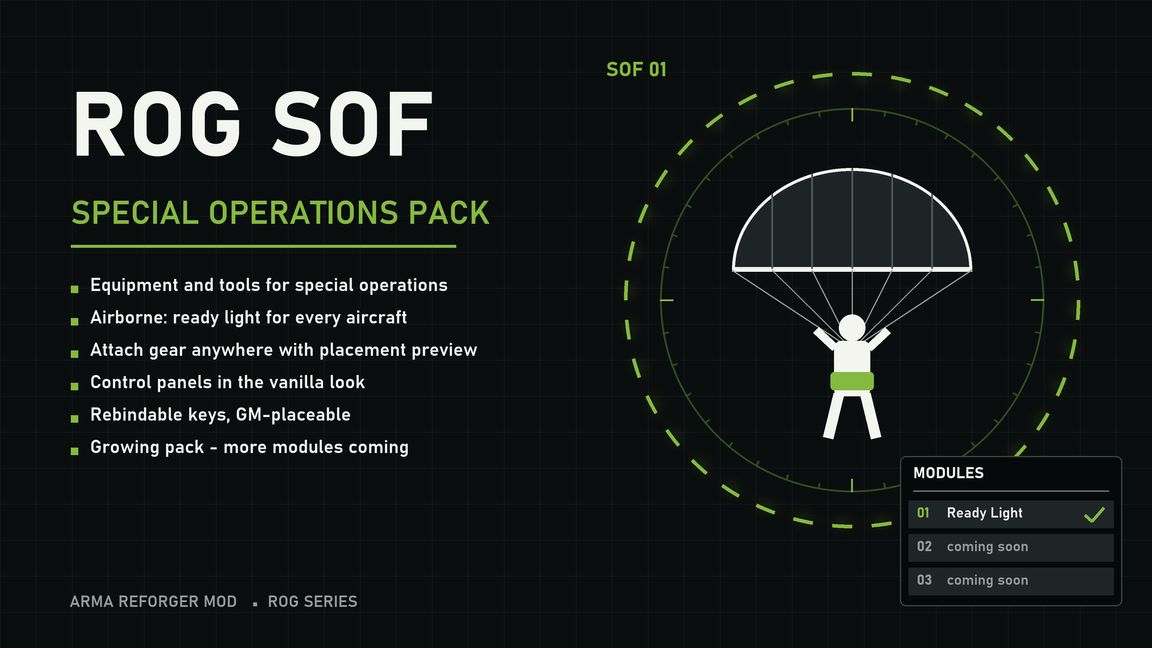
A growing Special Operations Forces pack: equipment and tools for special operations, expanded with new content step by step.
Description
ROG SOF Pack is a pack for special operations: equipment and tools for SOF units, airborne operations and more. The pack is not finished – it keeps growing, and new modules are added regularly.
Currently included
Module 01 – Ready Light (jump light)
The classic signal before a parachute jump: red = stand up and get ready, green = go.
Item “ROG Ready Light”, can be placed by the Game Master and picked up
Take it in your hand: a preview shows where it will be attached (green = valid spot, red = not possible)
F attaches it – on walls, ceilings or floors, in any aircraft (it moves with the aircraft) or anywhere else
Look at the light: V opens the control panel, hold F takes it back into your inventory
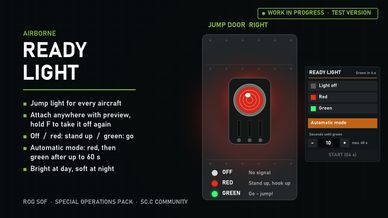
Control panel in the vanilla look: Light off, Red, Green
Automatic mode: enter the seconds (1–60) and press START – the light turns red and switches to green by itself when the time is up. It stays green until it is switched off. While the countdown runs, START is greyed out and shows the remaining seconds
Clearly visible at day and from a distance, soft light around it at night
Anyone near the light can operate it – e.g. the jumpmaster

ROG SOF Pack ist ein Pack für Spezialeinsätze: Ausrüstung und Werkzeuge für SOF-Einheiten, Luftlandeeinsätze und mehr. Das Pack ist nicht fertig – es wächst stetig weiter und bekommt regelmäßig neue Module.
Derzeit enthalten
Modul 01 – Ready Light (Sprunglicht)
Das klassische Signal vor dem Fallschirmsprung: Rot = aufstehen und fertig machen, Grün = springen.
Item „ROG Ready Light“, vom Game Master platzierbar und aufhebbar
In die Hand nehmen: Eine Vorschau zeigt, wo die Lampe angebracht wird (grün = Stelle passt, rot = nicht möglich)
F bringt sie an – an Wand, Decke oder Boden, in jedem Luftfahrzeug (sie fliegt mit) oder überall sonst
Lampe anschauen: V öffnet das Bedienfeld, F halten nimmt sie wieder ins Inventar
Bedienfeld im Vanilla-Look: Lampe aus, Rot, Grün
Automatik-Modus: Sekunden eintragen (1–60) und START drücken – die Lampe wird rot und schaltet nach Ablauf der Zeit von selbst auf Grün. Sie bleibt grün, bis sie ausgeschaltet wird. Während der Countdown läuft, ist START ausgegraut und zeigt die verbleibenden Sekunden
Bei Tag und aus der Entfernung gut sichtbar, nachts mit weichem Lichtschein
Jeder in der Nähe kann die Lampe bedienen – z. B. der Jumpmaster
License
Arma Public License No Derivatives (APL-ND)