Summary
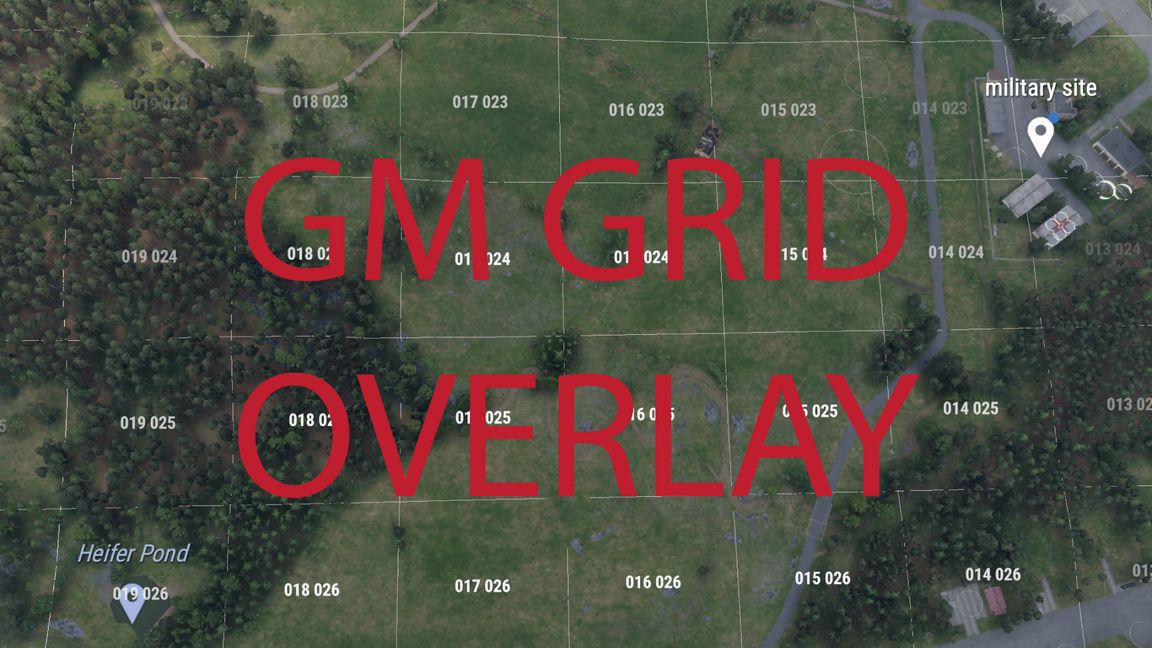
Shows the player map's grid over the Game Master view, with the grid reference under your cursor and a chat command to jump to any grid.
Description
Features
Grid lines over the terrain that follow hills and valleys. 1 km squares from high up; 100 m squares appear as you get closer.
Each square is labelled with its grid reference, in the same format as the player map.
The grid reference under your cursor is shown next to the compass: 6-digit normally, 8-digit when you're low. The extra digits are highlighted so you know what to drop when talking to someone using 6-digit references.
Type #grid 047 082 in chat to fly the camera to that square. Also accepts 047082 and 4, 8 or 10-digit references.
Works on every terrain: the grid comes from the map itself, so it matches Everon, Arland and modded maps.
Controls
K toggles the grid in Game Master. It can be rebound in Settings > Keybinds > Game Master.
Settings > Game Master > Grid Overlay sets the cursor grid reference to Off, On, or shown with the grid.
Client-side only: nothing is sent over the network, and other players see no change. The overlay hides with the rest of the GM interface. It has no dependencies and adds no vanilla config overrides that would clash with other GM mods.
License
Arma Public License (APL)