Summary
Custom Composition Browser
Save groups of objects you’ve built in Game Master, then place them again from the entity browser.
Description
How to use:
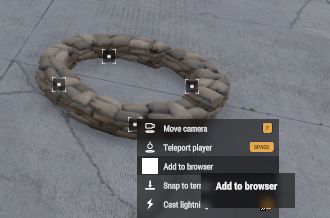
Select a few objects in Game Master.
Right-click one of them and choose Add to Browser. The one you right-click becomes the center.
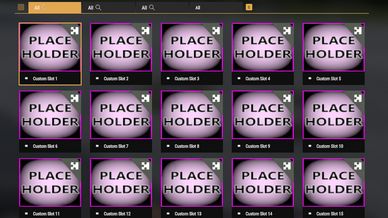
Search Custom Slot in the entity browser and place your saved set anywhere, as many times as you like. It moves, rotates and deletes as one composition.
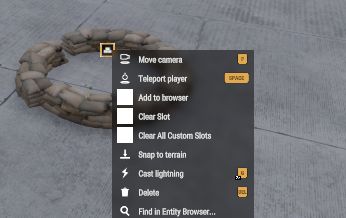
Right-click a placed set and choose Clear Slot to free it, or Clear All Custom Slots to free all 20.
Notes:
20 slots, shared by every GM on the server.
Saved sets last until the server or mission restarts.
Works with objects, vehicles and vanilla compositions. AI, groups and waypoints aren’t saved yet.
Only the objects and their positions are saved, not damage, inventory or fuel.
Server mod: clients download it automatically when they join.
License
Arma Public License Share Alike (APL-SA)