Summary
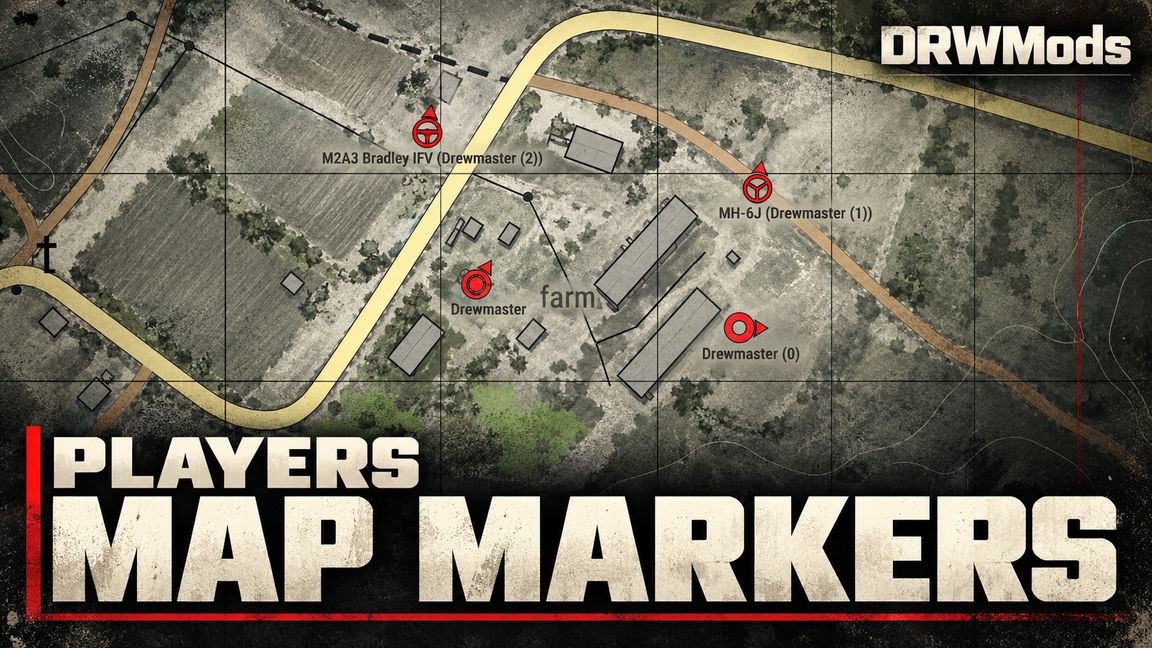
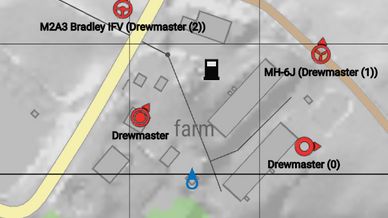
See all friendly players at any distance across the map. Separate directional icons clearly distinguish infantry, players in ground vehicles and players in aircraft
Description
PLAYERS MAP MARKERS

Read your team’s movement at a glance. Players Map Markers adds directional player icons and readable labels to the map, combining vehicle crews into a single marker to keep busy areas easier to understand.

CLEAR ICONS AND LABELS

• Separate icons for infantry, occupied ground vehicles and occupied aircraft.
• A distinct icon for your own player on foot.
• Infantry icons follow the character’s direction; vehicle icons follow the vehicle’s heading.
• Faction colours and a black outline help icons stand out against map terrain.
• Player names and crew labels remain readable as you pan and zoom.

ONE VEHICLE, ONE CREW MARKER

Players travelling together share a vehicle marker instead of overlapping individual icons.
The displayed name is chosen by seat priority: driver or pilot, then gunner, commander and passengers. Additional players appear as a count:
M1A2 (Drewmaster)
MH-6J (Drewmaster +2)
Each vehicles use their available display names. When a player gets out, their separate infantry marker returns.
On the normal map, a hostile player sharing the vehicle hides its combined marker from the friendly side.

GAME MASTER MAP

Players with full Game Master permissions can see player markers from all factions on the GM map, including their faction colours, directions and grouped crew labels.
The server checks GM permissions before sending each update. This view also supports a GM without a controlled character or selected faction. The normal player map and limited editor views retain friendly-side filtering.

OPTIONAL SLINGLOAD INTEGRATION

Compatible game modes or slingload addons can provide carrier-and-cargo links, allowing occupied vehicles travelling together to share a combined label:
CH-47 + M1097 (Drewmaster +2)
Slingload integration is optional. Players Map Markers works without a slingload addon; it does not add lifting or cargo transport mechanics itself.

WHY CHOOSE PLAYERS MAP MARKERS?

• Less clutter: crew grouping avoids stacks of player icons on the same vehicle.
• More useful information: icons distinguish infantry, ground transport and aircraft, while labels identify the leading crew member and additional players.
• Efficient updates: marker data is sent while the map is open, using shared server snapshots and incremental changes.
• Reused UI elements: existing marker widgets are updated rather than constantly recreated.
• Lightweight outlines: the black outline is built into each icon texture, without extra copies of the icon.
• Smooth movement: displayed positions interpolate between updates and snap after large position changes.
• Long-distance visibility: marker positions do not require the corresponding character or vehicle to be streamed into the viewer’s client.
• Controlled visibility: the server determines which markers each player may receive.

SCOPE AND COMPATIBILITY

Players Map Markers is a standalone addon designed for Conflict and other multiplayer scenarios. Its only required addon dependency is the base game.
It displays human players on foot or inside vehicles. Empty vehicle markers, deployed mobile spawn icons and mission objectives remain the responsibility of the scenario or another compatible system.
An optional integration API lets scenario and addon developers supply custom vehicle names, ownership information and transport links without making a slingload addon mandatory.

by Drewmaster (DRWMods)
Discord: https://discord.gg/WHqNQ3Q4tQ

TRY THIS MODE ON OUR SERVER

Name: Sector Offensive 4356
IP: 168.119.65.214:2477
License
Arma Public License Share Alike (APL-SA)