Summary
MAirstrike – Missile Strikes, S-300 Launcher and AC-130 Gunship for Game Master
Description
JMAirstrike – Missile Strikes, S-300 Launcher and AC-130 Gunship for Game Master

WHAT IS IT?
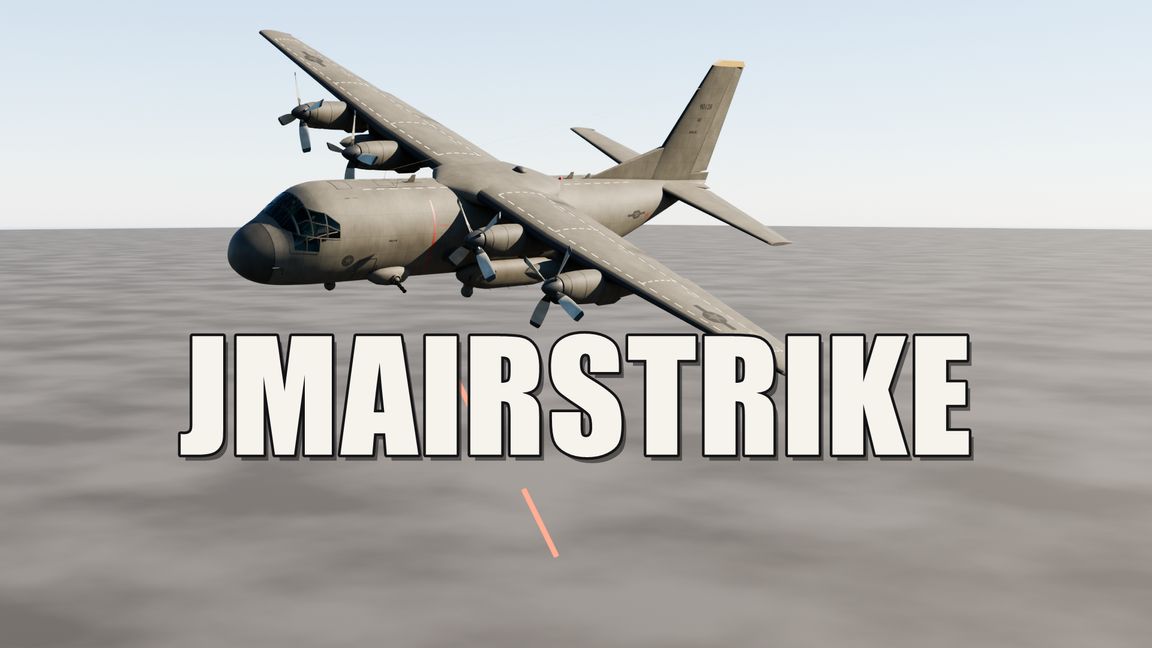
JMAirstrike adds heavy fire support to Arma Reforger. As Game Master you can call in surface-to-surface missiles, place an S-300 launcher that AI soldiers operate by themselves, and send an AC-130U gunship that circles over the enemy and opens fire.
All models (missiles, launcher, aircraft) are made from scratch for this mod. No other mods are required – only the base game.

FEATURES

1) Missile strikes (5 types)
- Tochka: ballistic missile, one big impact, steep dive from above.
- Iskander: heavy ballistic missile, very accurate, very big impact.
- Kalibr: cruise missile, flies low and flat, very accurate.
- Grad salvo: 12 small rockets one after another, wide spread – good against large areas.
- S-300: launches from the nearest S-300 launcher on the map, climbs steeply and then dives onto the target. It has the biggest explosion of all. If there is no launcher, the missile comes in from outside the map.
Every missile is a visible model with a smoke trail. About 30 seconds after the order, the missile arrives.

2) S-300 launcher
- A placeable vehicle with collision.
- An AI group standing close to it (about 30 m) becomes the crew: two soldiers take fixed positions next to the launcher and hold a map instead of their weapon.
- The crew fires by itself at enemies it knows about, at ranges from 300 m up to 3 km. It fires 2 missiles, then pauses.
- It does not fire if friendly troops are close to the target (150 m safety distance).
- If enemies come close to the launcher, the crew picks up its weapons and defends itself.
- You can also order a shot at any point on the map, up to 8 km away.

3) AC-130U gunship
- Flies in from outside the map, flies one left-hand circle around the target (600 m radius, 400 m high), then leaves again.
- While circling it fires red tracer bursts and rockets in a straight line at soldiers and vehicles in the target area.
- Hit chance is 90 %.

4) AI reaction
Enemy AI near an impact notices the explosion and reacts to it (takes cover, becomes alert).

HOW TO USE IT
Everything is controlled in Game Master mode.

Missile strike:
1. Open Game Master.
2. Right-click on the ground or on a unit/vehicle.
3. Choose "Raketenschlag: <type>" (Missile strike), for example "Raketenschlag: Iskander".
4. Wait about 30 seconds – the missile hits the place you clicked.

S-300 launcher:
1. Place the launcher from the Game Master spawn list (see "Where to find it").
2. Place an AI group right next to it. The soldiers walk to the launcher and operate it.
3. From now on they fire on their own at known enemies.
4. For an aimed shot: right-click on the target and choose "S-300: Feuer hierhin" (S-300: fire here).

Gunship:
1. Right-click on the enemy position.
2. Choose "Gunship: Angriff hierhin" (Gunship: attack here).
3. The aircraft flies in, circles once, fires and leaves by itself.

WHERE TO FIND IT
- S-300 launcher: Game Master spawn list (Entity Browser) > faction USSR > Vehicles. Name: S-300 launcher, with its own preview picture. You can also type "S-300" in the search field.
- Missile strikes, "S-300: Feuer hierhin" and "Gunship: Angriff hierhin": in the Game Master right-click menu, at the end of the list.
- The menu entries are currently in German.

GOOD TO KNOW
- Tested in single player with Game Master. Multiplayer has not been tested yet.
- The gunship has no engine sound yet and cannot be shot down.
- The big explosions, especially the Grad salvo, can cost performance on weaker PCs.
- Works together with other mods: it does not overwrite any game config files.

FEEDBACK
If you find a bug or have an idea, please write a comment. Have fun!
License
Arma Public License (APL)