Summary
Build something in Game Master, then rebuild it 1:1 in the Enfusion Workbench World Editor.
Description
You built something cool in Game Master, maybe on console. Now you want it in a real map. GM To Workbench gets it there.

HOW IT WORKS

In Game Master:
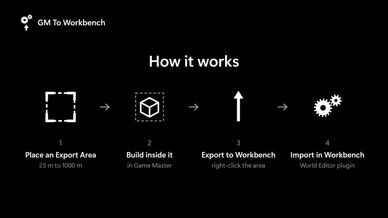
1. Place a Workbench Export Area (25, 50, 100, 250, 500 or 1000 m). You only see it while the editor is open.
2. Build inside it.
3. Right-click the area and choose "Export to Workbench".

The server then writes a small text file:
<server profile>/GMToWorkbench/GTW_<World>_<date>.txt
Whoever has access to the server files sends it to the person with Workbench.

In Workbench:
4. Open your world and go to World Editor > Plugins > Import/Export > GM To Workbench: Import.
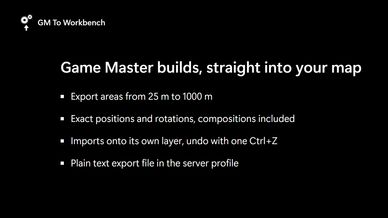
5. Pick the file. Everything lands on a new layer, as one undo step, so one Ctrl+Z takes it all back if you don't like it.

WHAT COMES ALONG
Props, structures, compositions, items and vehicles (without crew), at the exact position and rotation they had in Game Master.

WHAT STAYS BEHIND
AI, waypoints, tasks, spawn points, destroyed objects and the map's own objects. Game Master settings like fuel, damage or arsenal contents aren't part of a static map, so they aren't exported either.

IMPORT OPTIONS
- Exact (default): every object stays exactly where the GM left it, including composition pieces you moved by hand.
- Prefabs: each composition comes in as its clean original, without your changes to its pieces.
- Use base prefabs (on by default): you get the normal map versions of the objects. Turn it off if you want a GM to still be able to edit them in your scenario.
- Offset and "keep height above terrain": move the whole build somewhere else, or onto another terrain, and keep everything sitting on the ground.

GOOD TO KNOW
- Load the mod on the server and the clients, like any other dependency. It doesn't override any vanilla configs.
- The file is written on the machine that hosts the game, so use a dedicated server you can get files from, or a PC-hosted game. On a console-hosted session the file stays on the console where nobody can reach it.
- If your build uses objects from other mods, load those mods in your Workbench project too.
License
Arma Public License (APL)