Summary
Choose the starting MOB (main HQ) for BLUFOR and/or OPFOR in Conflict and HQ Commander via the server mission header. Works on any map. Server-side, no world edits.
Description
Select MOB lets a server admin decide where each faction's Main Operating Base spawns at the start of a Conflict or Conflict: HQ Commander match, instead of leaving it to the random selection. It works with any Conflict-based scenario on any map, including Workshop maps, because it only overrides the HQ selection step and reads base names from the scenario itself.

MODES
- Both set     → BLUFOR and OPFOR start exactly where you specified.
- One set      → that faction is fixed, the other is picked by the vanilla distance logic relative to it.
- Nothing set  → vanilla behaviour, untouched.
If a name is wrong or both point to the same base, the mod logs a warning and falls back to vanilla selection. The server never fails to start because of this mod.

SETUP
1. Add the mod to your server config "mods" list.
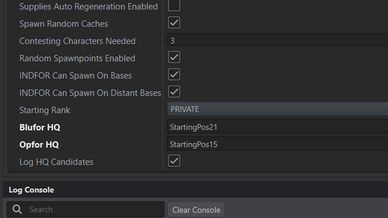
2. In "gameProperties" → "missionHeader" add:
   "missionHeader": {
     "m_sBluforHQ": "StartingPos12",
     "m_sOpforHQ":  "StartingPos05"
   }
   Leave a value empty ("") or omit the key to keep that side random.

FINDING BASE NAMES
The values are the entity names of the HQ-capable bases in the world, not the map labels. Two ways to get them:

1. From the server log. On every start the mod prints all candidates:
     TC_HQ candidate: StartingPos05
     TC_HQ candidate: StartingPos07
   Start the server once with the mod enabled, copy the names from the log.
   Set "m_bLogHQCandidates": false in the header to silence this output.

2. From Arma Reforger Tools. Open the scenario's world in World Editor
   (e.g. ArmaReforger/Worlds/MP/Campaign_Eden.ent), find the base entities with
   "Can Be HQ" enabled in SCR_CampaignMilitaryBaseComponent and take their entity
   Name from Object Properties.

EXAMPLE — EVERON (vanilla Conflict / HQ Commander)
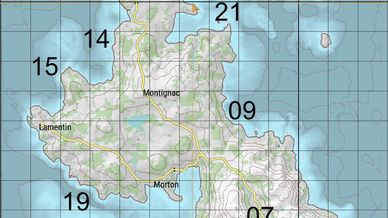
See the map in the gallery. The number is the suffix of the entity name.

  StartingPos12  Saint-Philippe (north, airfield)
  StartingPos21  NE coast, east of Saint-Philippe
  StartingPos14  NW coast, west of Saint-Philippe
  StartingPos15  W coast, north of Lamentin
  StartingPos09  E coast, east of Montignac
  StartingPos19  SW coast, south of Morton
  StartingPos07  S, north of Saint-Pierre
  StartingPos05  SE, Saint-Pierre

Typical north vs south setup:
  "m_sBluforHQ": "StartingPos12",
  "m_sOpforHQ":  "StartingPos05"

PERSISTENCE
HQ selection only happens on a fresh match. If the server loads a session save, the bases come from the save and the header is not consulted. To start a new match with new HQ positions, remove the session save (or disable loading it) before starting.

KNOWN ISSUE - MISSION RESTART
Arma Reforger applies "missionHeader" from the server config only once, when the server process starts. After an in-game restart (#restart, Game Master restart, or the automatic restart when a match ends) the game reloads the header from the scenario's .conf and drops every value from the server config - this affects all mission header fields, not only this mod's. It is a game bug tracked by Bohemia as T172515. Until it is fixed, the mod falls back to vanilla selection after an in-game restart. To get your chosen MOBs again, restart the server process.

HEADER FIELDS
m_sBluforHQ         string   BLUFOR HQ entity name, "" = random
m_sOpforHQ          string   OPFOR HQ entity name, "" = random
m_bLogHQCandidates  bool     print candidate names to log (default true)

Server-side only. Clients download the mod automatically; it adds no assets and has no in-game UI.
License
Arma Public License (APL)