Summary
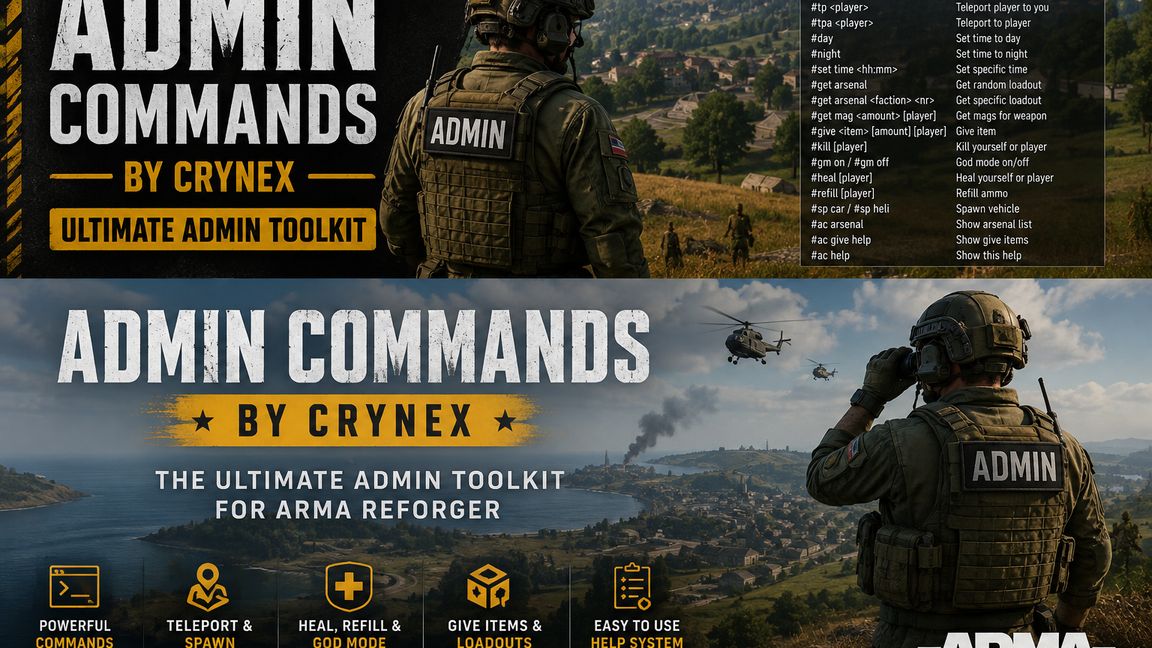
Powerful server admin commands for teleporting, spawning vehicles, managing time, healing, God Mode, loadouts, items, magazines and player management.
Description
AdminCommandsByCryneX

AdminCommandsByCryneX adds powerful server administration commands to Arma Reforger. Authorized admins can manage players, teleport, control time, spawn vehicles, manage equipment and ammunition, use God Mode, heal or kill players, copy loadouts, and use a persistent kick/ban system directly through chat.

All custom admin commands are validated server-side.

Server & Time

#r start – Restart the current scenario
#day – Set daytime
#night – Set nighttime
#set time <HH:MM> – Set a specific time

Example: #set time 06:00

Teleport

#tp <PlayerName> – Teleport a player to you
#tpa <PlayerName> – Teleport yourself to a player

God Mode / Health

#gm on – Enable God Mode
#gm off – Disable God Mode
#heal – Fully heal yourself
#heal <PlayerName> – Heal another player
#kill – Kill your current character
#kill <PlayerName> – Kill another player

Ammunition

#refill – Refill carried and loaded magazines

#get mag <Amount> – Add compatible magazines for your currently held weapon

#get mag <Amount> <PlayerName> – Add compatible magazines for another player's currently held weapon

Amount: 1–50

Give Items

#give <ItemName> [Amount] – Give an item to yourself

#give <PlayerName> <ItemName> [Amount] – Give an item to another player

Examples:
#give M9 5
#give Max M9 3

Amount: 1–50

Use #ac give help to display supported item aliases for weapons, magazines, explosives, medical gear, tools, attachments and equipment.

Arsenal / Loadouts

#get arsenal – Get a random loadout from your current faction

#get arsenal FIA <Number>
#get arsenal US <Number>
#get arsenal USSR <Number>
#get arsenal CIV <Number>

Applies a selected faction loadout.

#<PlayerName> get arsenal – Copy another player's current equipment and inventory to yourself

Example: #Max get arsenal

Use #ac arsenal to display available loadouts and numbers.

Vehicles

#sp car – Spawn a random ground vehicle
#sp heli – Spawn a random helicopter

Player Management

#ac players – Display connected players and their current Player IDs

Example:
[12] Max
[18] PlayerTwo

Player names or IDs can be used with kick and ban commands.

#kick <PlayerName|ID> – Kick a player

Examples:
#kick Max
#kick 12

Temporary Bans

#ban <PlayerName|ID> <Days> – Ban a player for a specified number of days

Examples:
#ban Max 7
#ban 12 30

Temporary bans are stored persistently and remain active across server or scenario restarts until they expire or are removed.

Permanent Bans

#pban <PlayerName|ID> – Permanently ban a player

Examples:
#pban Max
#pban 12

Permanent bans remain stored until manually removed.

#ban list – Display all stored permanent bans with their Ban ID

Example:
[1] Max
[2] PlayerTwo

#unban <PlayerName|BanID> – Remove a stored ban

Examples:
#unban Max
#unban 1

The unban command can also remove an active temporary ban.

Persistent Ban System

Temporary and permanent bans are saved and restored across server/scenario restarts.

Bans are linked to the player's server-side game identity rather than only the displayed player name. Reconnecting or changing the player name therefore does not remove the stored ban when the same identity is used.

Each stored ban receives its own Ban ID, allowing admins to manage bans even while the player is offline.

Help Commands

#ac help – Show the complete command overview
#ac arsenal – Show faction loadouts and numbers
#ac give help – Show supported Give aliases
#ac players – Show connected players and Player IDs

Features:

-Server-side admin authorization
-Multiplayer & dedicated server support
-Teleport and time control
-God Mode, heal and kill commands
-Ammunition and item management
-Player loadout copying
-FIA, US, USSR and CIV loadouts
-Ground vehicle and helicopter spawning
-Player ID list and kick system
-Temporary and permanent bans
-Persistent ban storage
-Offline unban support
-Built-in help commands

Administrative commands are intended for authorized server admins only.
License
Arma Public License (APL)