Summary
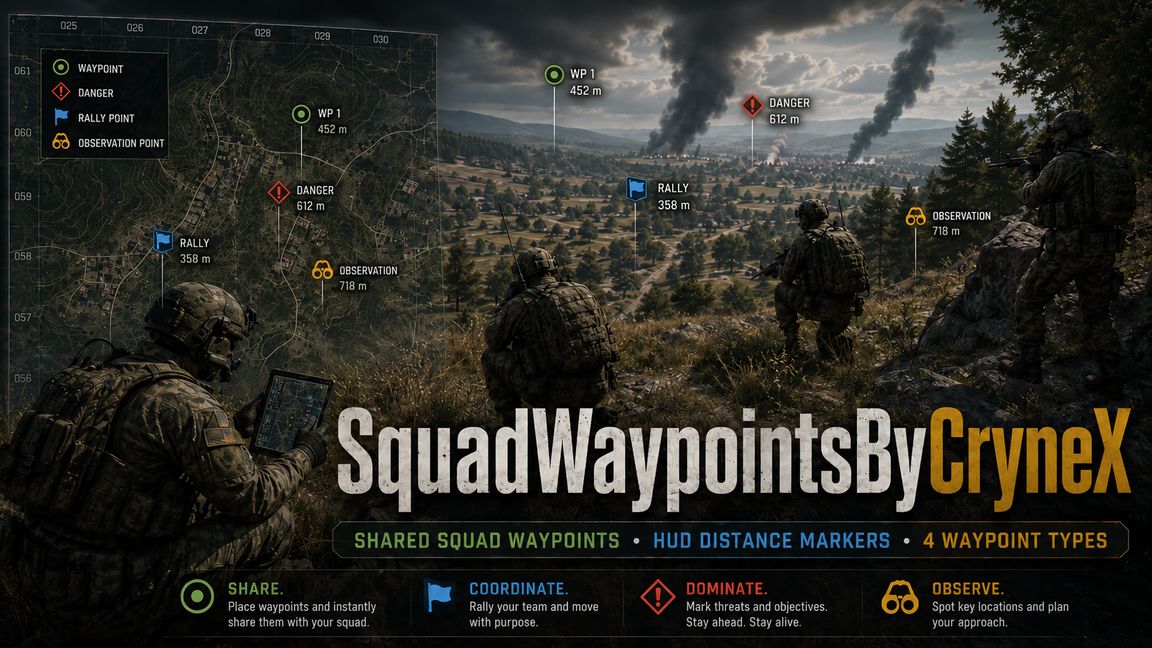
Shared squad waypoints with map and HUD markers, 4 waypoint types, distance display, squad sync, leader controls and private waypoints for solo players.
Description
SquadWaypointsByCryneX

SquadWaypointsByCryneX adds a server-authoritative and synchronized tactical waypoint system for squads in Arma Reforger.

Squad members can create waypoints that are automatically synchronized and visible only to players of the same squad. Waypoints are displayed both on the map and directly in the HUD with distance information.
The system is designed for Multiplayer, Dedicated Servers, Singleplayer and Crossplay between PC, Xbox and PlayStation.

Features:

-Server-authoritative squad waypoint system
-Automatic synchronization between squad members
-Existing waypoints are synchronized for joining players
-Additional synchronization when opening the map
-Waypoints are visible only within the corresponding squad
-Waypoints are displayed on the map and in the HUD
-HUD markers include distance information
-Waypoints created by other squad members display the creator

Four different waypoint types with individual colors:

-Waypoint
-Danger
-Rally
-Observation

-Maximum of 3 active waypoints per player
-Maximum of 12 active waypoints per squad
-Short anti-spam protection against rapidly creating multiple waypoints

Waypoint Permissions:

Waypoint permissions are verified securely by the server.

-Players can remove their own waypoints

-The current Squad Leader can also remove individual waypoints created by other members of the same squad

-Regular squad members cannot remove waypoints created by other players

This allows Squad Leaders to keep the squad map organized without giving normal members unnecessary control over other players' markers.

PC Controls

-Shift + Left Mouse Button – Create waypoint
-Delete / Del over a waypoint – Remove waypoint
-T – Change waypoint type
-Shift + Delete / Del – Remove all of your own waypoints

Controller Controls

Xbox
RB + A – Create waypoint
RB + X – Remove waypoint
RB + Y – Change waypoint type
RB + B – Remove all of your own waypoints

PlayStation
R1 + Cross – Create waypoint
R1 + Square – Remove waypoint
R1 + Triangle – Change waypoint type
R1 + Circle – Remove all of your own waypoints

Displayed control hints automatically adapt to the currently used input device:

-Keyboard & Mouse
-Xbox Controller
-PlayStation Controller

Improved Map Interaction

Waypoint deletion uses the actual map cursor position.

The interaction radius automatically adapts to:

-Current map zoom
-UI scaling

This makes selecting and removing waypoints with Delete / Del reliable at different zoom levels and interface scales.

Map Interface:

The waypoint panel in the upper left corner of the map provides a compact overview of the waypoint system.

-Currently selected waypoint type is clearly highlighted
-Each waypoint type uses its own color
-Compact control hints
-Reduced unnecessary information
-Clean and unobtrusive interface

Admin Command

Server administrators have access to:

#sw reload

This command is restricted to authenticated Server Administrators.

Being Game Master alone does not grant permission to use this command.

When executed, the command performs a complete SquadWaypoints runtime reset:

-Removes all existing waypoints
-Resets server waypoint state
-Resets waypoint creation cooldowns
-Resets waypoint IDs
-Removes all waypoint markers from connected clients
-Reinitializes map UI
-Reinitializes HUD
-Reinitializes input handling
-Re-registers required event handlers

This can be used by server administrators to recover the waypoint system without restarting the entire server.

Localization

SquadWaypointsByCryneX uses a complete StringTable localization system and automatically follows the language selected in Arma Reforger.

Localized content includes:

-Waypoint types
-Status messages
-Control hints
-Keybinding texts
-Interface elements

Supported Languages

-English
-German
-French
-Italian
-Spanish
-Czech
-Polish
-Russian
-Japanese
-Korean
-Brazilian Portuguese
-Simplified Chinese
-Ukrainian

Compatible fonts are also used for Japanese, Korean and Simplified Chinese.

Multiplayer & Dedicated Servers

Waypoint creation and permissions are handled server-side.

The system supports:

-Multiplayer
-Dedicated Servers
-Singleplayer
-PC
-Xbox
-PlayStation
-Crossplay environments

Squad waypoint data is synchronized only with players who belong to the corresponding squad.
Compatibility

The waypoint system is designed to work independently of the currently used scenario or map configuration.

No external mods, custom textures or additional dependencies are required.
License
Arma Public License (APL)