Summary
Manage every arsenal item in the game: categories, factions, ranks, prices and profiles for vanilla and mod items, in the Sk0rs Server Bible. No config editing.
Description
Problem: What an arsenal crate offers depends on how a scenario and its mods are wired. Items land in the wrong place, cost nothing, are open to every faction, and changing any of that means editing config files.

Solution: Sk0rs Arsenal Master reads every item of every faction - the game's own and those of every loaded mod, whatever scenario is running - into one database and lets you manage all of it in the game, in the Server Bible under Settings - Arsenal Master. Nothing has to be entered for a mod.

Features

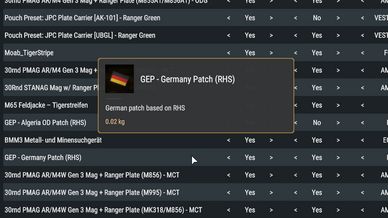
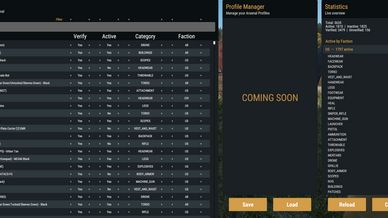
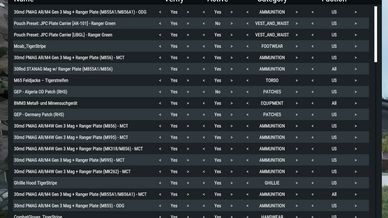
- Database. A searchable, sortable table of every item. Per item: active or not, category, factions, required rank, price, and a "verified" mark for your own bookkeeping. Tick many items and change them at once.
- Factions. An item can belong to one faction, to several, or to all. A new item gets exactly the factions whose catalogs hold it.
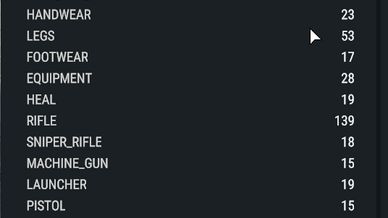
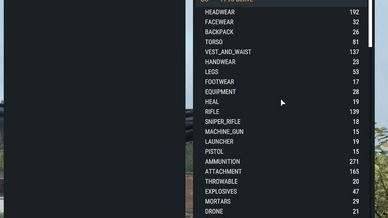
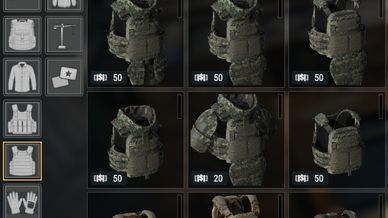
- Categories. Rename, reorder, switch off or restrict the game's categories, and add your own - below an existing category or on the top level. In the arsenal the categories are a clean text list.
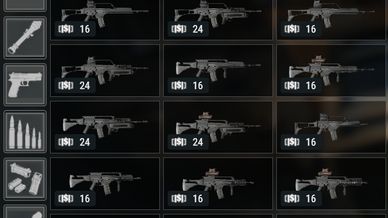
- Prices. Set a base price per item, or let the mod find one: the item's own price, or the average of comparable items for items that cost nothing. One multiplier scales everything (0 makes everything free); a second one sets what selling pays back. The table shows every item's base price and where it comes from.
- Ranks. Set the rank a player needs per item (in scenarios that lock arsenal items by rank).
- Profiles. Save the whole arsenal - items, categories, settings - under a name, load it again, and compare a profile with the current state before loading it.
- Self-healing. An item that can no longer be reached (its mod was removed) is hidden and not purchasable, and comes back by itself. Your settings for it are kept until you remove such items yourself with one button.
- Saved loadouts always save. What a player may not have is taken out when he spawns, by the same rules as a purchase - and the deploy screen shows him beforehand what he would lose and why. A loadout costs supplies by your prices; what is taken out costs nothing.
- Personal supply budget. One switch turns the game's supply budget per player on or off for the server.

Access

Who may open the pages is set with the Settings folder's line in the Sk0rs Bible Manager (on / off, Access All / GM / Admin). The server checks every change.

Updating from 1.x

- The #arsenal and #arsenalaudit chat commands and the password are gone. Everything is in the Server Bible now.
- "Mods" and "ExtraCatalogs" are no longer needed; the config file is rewritten on the first start (the old one is kept as Sk0r_ArsenalConfig_revN.json).
- The extra categories 1.x had built in (NVG, Tank Ammo, ...) no longer exist as such. Their items show under Undefined until you create the categories you want on the Categories page and assign them.
- Files from before the rename to Sk0rs Arsenal Master (PZA_...) are no longer taken over.

Compatibility

- Does not work with mods that rebuild the arsenal's own interface.
- A guide is in the Server Bible under Instructions - Arsenal Master.

More of my mods: https://reforger.armaplatform.com/workshop?search=sk0rs
License
Arma Public License No Derivatives (APL-ND)