Summary
Command AI squads from the map: move, attack, defend, formations, stances, fire control, vehicles, convoys, and building entry (garrison/clear). Updated for 1.8. PC recommended.
Description
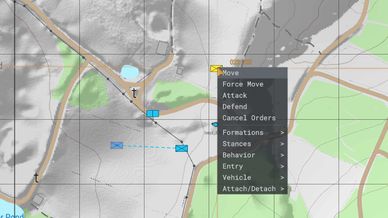
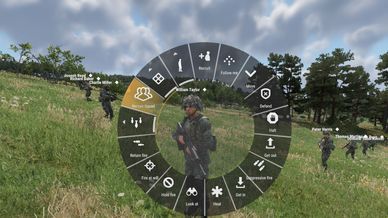
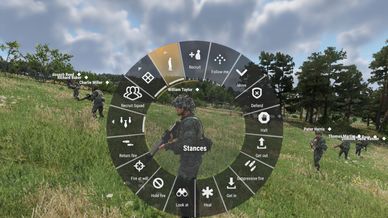
Advanced AI Command (AAC) gives you full control of AI squads straight from the map. Open the map, click a squad, and a clean command menu lets you order moves, set formations and stances, manage behavior, board vehicles, build convoys, and run building assaults. Works in singleplayer, the World Editor, and Game Master.

FEATURES

Map command menu: click any friendly AI squad and issue orders without leaving the map.
Movement orders: Move, Force Move, Attack, Defend, with chained waypoints.
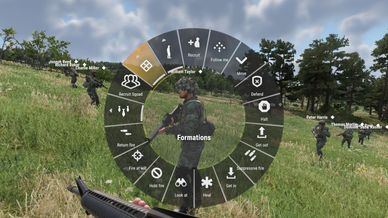
Formations: Column, Staggered Column, Wedge, Line, Diamond, Circle, plus an Auto mode that picks a formation from the terrain. Squads hold formation while following and close up tight on the move.
Stances: Stand, Crouch, Prone, or Auto (hand stance back to the AI).
Behavior: Open Fire or strict Hold Fire (they won't shoot even when shot at).
Recruit: pull a whole AI squad under your command.
Vehicles: order squads to get in a chosen vehicle or dismount.
Attach / Detach: link squads into foot-follow groups or vehicle convoys.
Entry: stack on a building's door, breach, and either Garrison (move in and hold) or Clear (every man works the rooms, opening doors). Squads push contacts aggressively instead of turtling.
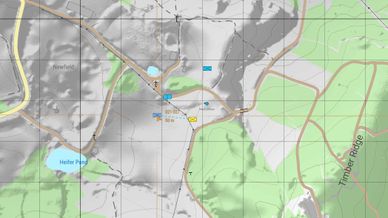
Map readability: live player markers and per-soldier dots for your own squad.
AI awareness: soldiers yield to each other to avoid clogging doorways and hallways.

HOW TO USE

Open the map, click a squad's icon to grab it, pick an order, then click the map or a target to confirm. Hold Ctrl while placing to chain waypoints.

WHO CAN COMMAND WHAT

By default you command your own faction's AI. A Game Master commands every faction. Hosts who want ordinary players to command across factions can switch on "Control all factions" in Scenario properties, Game tab. It is off by default and can be toggled mid-game.

COMPATIBILITY

Built for Arma Reforger 1.8. No dependencies. Works in singleplayer and multiplayer.

The input config is additive rather than a full override, so mods that add their own key bindings (RHS and others) keep their radial menus working alongside AAC.

Built and tested on PC. The command menu is designed around the mouse and map, so console support is uncertain. PC recommended.
License
Arma Public License (APL)