Summary
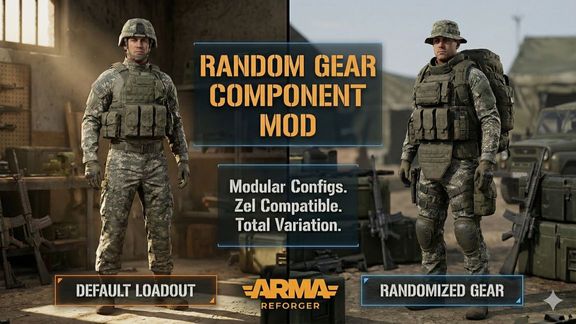
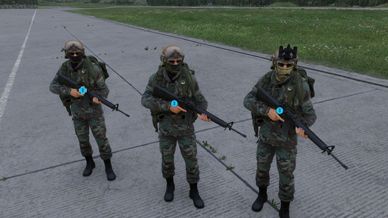
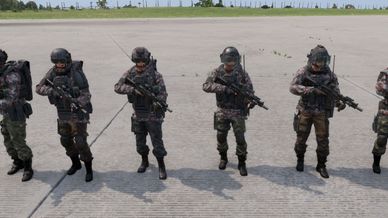
Randomzie gear easier for you soldiers when spawned.
Description
📖 How to Use
Step 1: Create a Gear Pool (.conf)
Instead of putting .et files directly into the character, you create reusable configuration files.
In the Enfusion Workbench Resource Browser, navigate to your mod's folder.
Right-click empty space -> Create -> generic config.
Search for and select SCR_GearPoolConfig.
Name the file something recognizable (e.g., Pool_PMC_Jackets.conf).
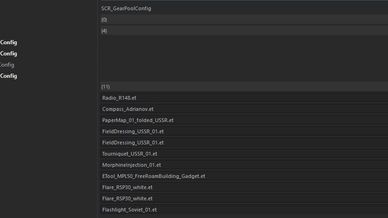
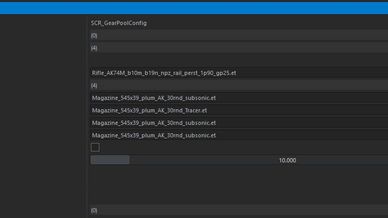
Open the .conf file and add your desired .et clothing prefabs to the array. Save it.
Step 2: Attach the Component
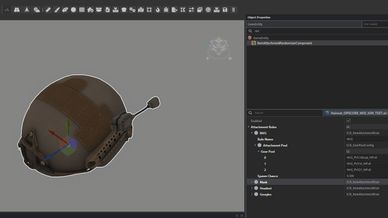
Open your custom Character .et prefab in the World Editor.
In the Object Properties panel, click Add Component.
Search for and add the RandomGearComponent.
Step 3: Assign Your Pools
Click on the RandomGearComponent on your character.
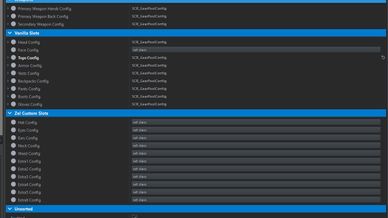
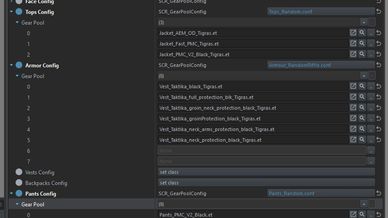
You will see organized categories for Vanilla Slots and Zel Custom Slots.
Simply drag and drop your newly created .conf files from the Resource Browser into their matching slots (e.g., drag Pool_PMC_Jackets.conf into the "Tops Config" slot).
Leave any slot blank if you do not wish to randomize that body part.
Step 4: Configure Your Base Loadout (Important!)
For the smart ammo transfer to work perfectly, you must let the base game spawn the character normally first:
Keep Default Clothes: Ensure your character has default clothes assigned in their BaseLoadoutManagerComponent.
Keep Ammo Targeting: In your SCR_InventoryStorageManagerComponent -> InitialInventoryItems, set up your ammo .conf files to target the default clothes exactly as you normally would.
The Magic: When the character spawns, the script waits half a second, safely extracts your assigned ammo, deletes the default clothes, equips the random clothes from your pools, and dumps the ammo back into the new pockets!

Need help or more info - https://discord.com/channels/105462288051380224/1473079537725079734
License
Arma Public License (APL)