Summary
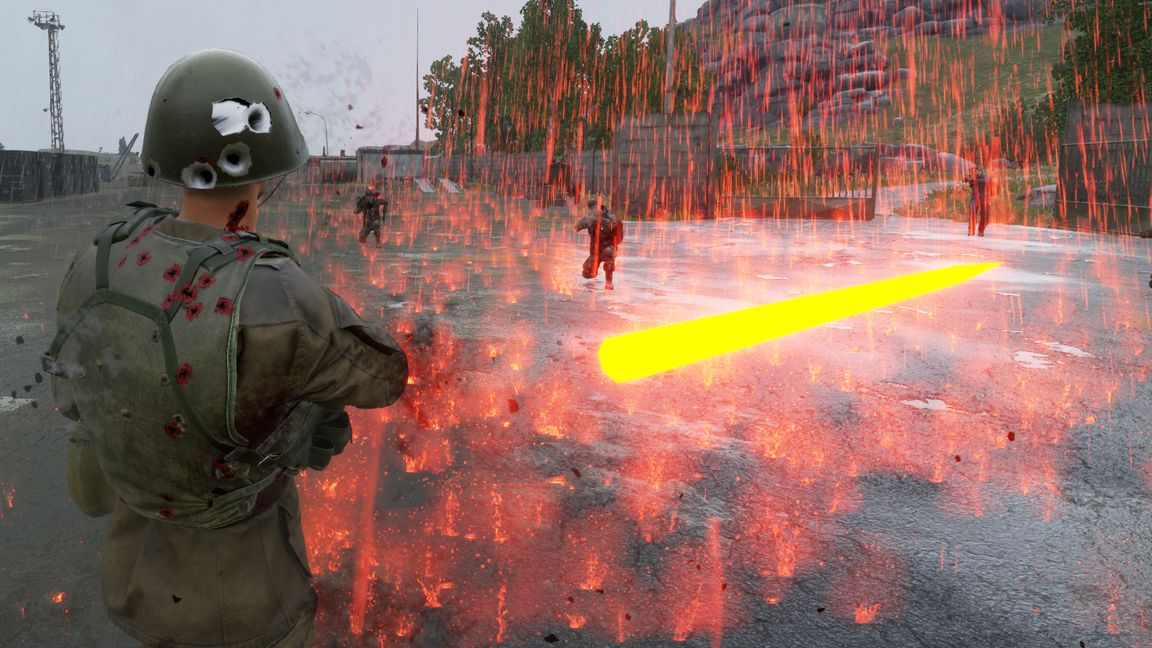
Easily config your HQ protection system. Available configs: immortality, Firing inside HQ & whether to show/not show a radius from each HQ.
Description
This mod is now configurable! Add this to your missionHeader to easily change values. The values shown below are the default ones (don't need to change them if it's what you want). You can also override my "Settings.conf" and change whatever you want there.

                "m_LORHQImmortalitySettings": {
                    "m_bDisableFirearmsInHQ": false,
                    "m_bInvincibleInHQ": true,
                    "m_bShowRadiusOnMap": false,
                    "m_fMapRadiusMeters": 700,
                    "m_bDamageEnemiesInRadius": false,
                    "m_fDamageRadiusMeters": 700
                }

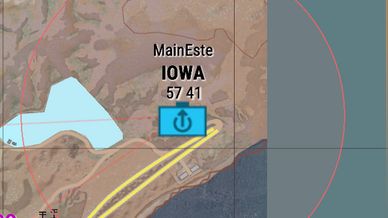
ShowRadiusOnMap enabled: shows a red radius from each HQ (radius set with m_fMapRadiusMeters). This is purely visual on purpose, the protections are NOT applied in this radius, only in the HQ itself.

Disable Firearms enabled: you can't shoot while in HQ

Immortality enabled: If you are in your HQ, you don't receive any damage. Vehicles of the same faction as the HQ are also protected, including all parts like wheels, engines, and rotors. Vehicle protection only applies within 30 meters of ground level to prevent helicopters from hovering high and abusing invincibility while shooting.

There's a notification message whenever you enter/leave the MHQ as a player, informing the user of this feature. The notification is translated to all of Reforger's available languages.

The radius is not configurable as it uses a safezone that is already embedded in each HQ. Protection only applies to the main HQ of each faction, not regular capture points.

All damage types are blocked except healing and regeneration. The system uses optimized lookups with faction caching and direct HQ references, making it performant for 128-player servers.
License
Arma Public License (APL)