Summary
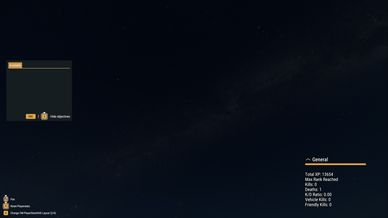
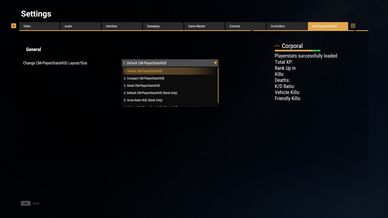
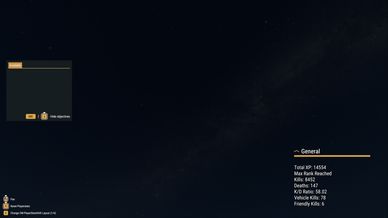
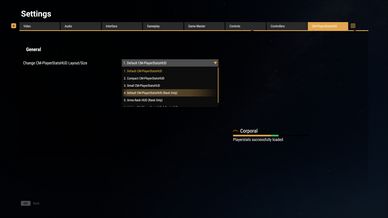
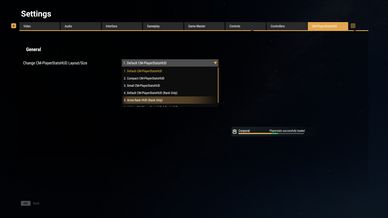
• Persistent Rank/XP & Playerstats with instant Rank & stats loading

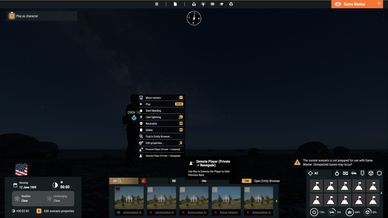
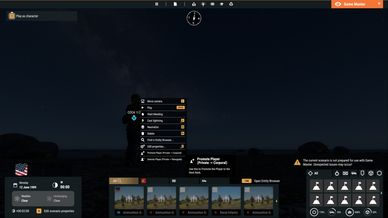
• Promote/Demote Ranks via Game master

• Addon for game modes/scenarios without Ranks/XP Handler can be found in the description
Description
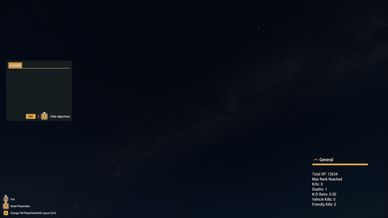
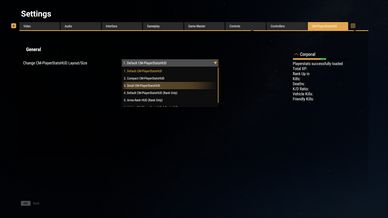
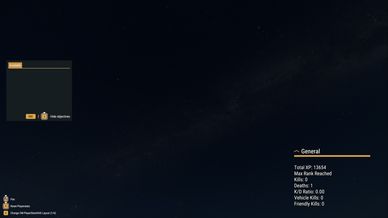
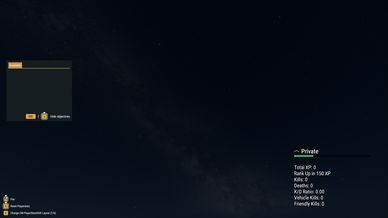
• Shows and saves Total XP/Rank, XP needed for Rank-up, Kills, Deaths, K/D Ratio, Vehicle Kills and Friendly Kills.
• Fully functional on PC, XBOX and PLAYSTATION.
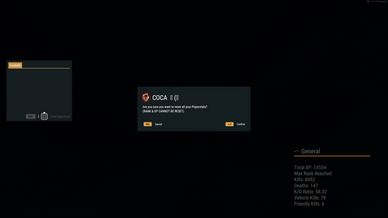
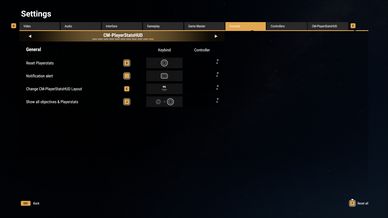
• Players can reset all stats (except XP/Rank).
• XP/Ranks and Playerstats are persistent but can be wiped or disabled by the Server Owner.
• Admins can Promote or Demote Players (can be disabled or restricted to Admin UIDs).
• Admins can enable/disable automatic XP/Rank or Playerstats wiping after the scenario ends.
• Admins can enable/disable automatic XP/Rank or Playerstats wiping at server start.
• Admins can perform a one-time XP/Rank wipe.
• Admins can restrict the Playerstats HUD to faction-owned HQs and adjust the radius.
• All data is saved server-side in the $profile folder as JSON files.
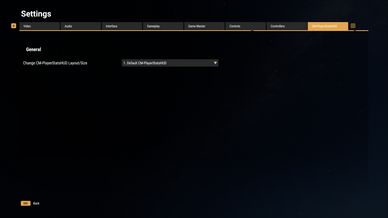
• Supports all Arma Reforger languages.

FOR SERVER ADMINS

• Compatibility addon for game modes/scenarios without Ranks/XP Handler: https://reforger.armaplatform.com/workshop/686EFBA6E27360C4

IMPORTANT:
Add this mod as the last entry in your server config.json. Otherwise, other mods may overwrite settings.

• By default, Teamkill and Civilian Kill punishment for Admins and Game Masters is disabled (default Arma Reforger behavior).
Go to $profile:CMPlayerStatsHUD/AdminServerSettings/PunishAdminsForTeamKills.json and set it to true if you want punishment for Teamkills and Civilian Kills.

• By default, Dynamic Saving is enabled (saves every changed Playerstat immediately).
Go to $profile:CMPlayerStatsHUD/AdminServerSettings/SavingMethod.json and set it to false if you want to save only on disconnect, session end or death.

• By default, Vehicle Kills are included in the K/D Ratio calculation.
Go to $profile:CMPlayerStatsHUD/AdminServerSettings/VehicleKillCountTowardsKDRatio.json and set it to true to exclude Vehicle Kills.

• By default, wiping all player XP/Rank at the end of a scenario is enabled
(for this "CM_PersistentRanks" in PersistentRanks.json must be true).
Go to $profile:CMPlayerStatsHUD/AdminServerSettings/ScenarioEndWipePlayerXP.json and set it to false to disable.

• You can add unlimited UIDs to prevent XP/Rank wipes.
Go to $profile:CMPlayerStatsHUD/AdminServerSettings/WipeXPExemptions.json and add the UIDs you want to exempt.

• By default, the Playerstats HUD is visible without restrictions.
Go to $profile:CMPlayerStatsHUD/AdminServerSettings/StatsAreOnlyVisibleInOwnHQ.json and set it to true to show the HUD only inside faction-owned HQs. You can adjust the radius there.

• By default, wiping all Playerstats at the end of a scenario is disabled.
Go to $profile:CMPlayerStatsHUD/AdminServerSettings/ScenarioEndWipePlayerStats.json and set it to true if you want all Playerstats wiped at scenario end.

• You can add unlimited UIDs to prevent Playerstats wipes.
Go to $profile:CMPlayerStatsHUD/AdminServerSettings/WipePlayerStatsExemptions.json and add the UIDs you want to exempt.

• You can perform a one-time wipe of all player XP/Ranks during the next server start. This is useful if you switched maps or the scenario did not end correctly
(for this "CM_PersistentRanks" in PersistentRanks.json must be true).
To use it, open $profile:CMPlayerStatsHUD/AdminServerSettings/OneTimeWipeAllPlayerXP.json and set it to true. After the next server start, the file automatically resets to false.
Wipe exemptions still apply when using WipeXPExemptions.json.

• By default, Rank/XP are persistent (saved in player JSON files).
To disable this, go to $profile:CMPlayerStatsHUD/AdminServerSettings/PersistentRanks.json and set it to false. When disabled, Rank/XP will use the server database.

• By default, all Admins can Promote or Demote players via the Gamemaster menu by right-clicking a player.
To disable this feature, go to $profile:CMPlayerStatsHUD/AdminServerSettings/AdminCanPromoteDemote.json and set CM_AdminCanPromoteDemote to false.

• You can restrict Promote/Demote to specific Admin UIDs.
Enable $profile:CMPlayerStatsHUD/AdminServerSettings/AdminCanPromoteDemoteExemptions.json and add allowed UIDs to
AdminCanPromoteDemoteExemptionsList.json. Only listed Admins can use this feature.

• By default, wiping all player XP/Rank at Server Start is disabled.
Go to $profile:CMPlayerStatsHUD/AdminServerSettings/ServerStartWipePlayerXP.json and set it to true if you want XP/Rank wiped at Server Start
(requires "CM_PersistentRanks" = true).
Wipe exemptions still apply.

NOTE: All Server Admin Settings can be changed at any time without a wipe.

Join our Discord to report Bugs or give feedback
https://discord.gg/cRbPDA6eum
License
Arma Public License No Derivatives (APL-ND)