Summary
Designed for clarity. Deployed for control. GMTOOLS supports the administrator in fulfilling duties that, while unknown, are undeniably important.
Description
## Overview
This toolkit enhances Game Master capabilities by introducing a robust suite of utilities. Features include player rank management (`#rank`), dynamic popup notifications (`#warn`, `#warnall`, `#warnfaction`), GM camera teleportation (`#mc`), GM session tracking, player-triggered Discord alerts (`#admin`), Discord chat forwarding, manual entity cleanup (`#garbagesystem`), session-ending (`#endsession`), and a configurable Enhanced GM Night Vision system. All functionality is handled through intuitive chat commands and a flexible JSON configuration.

---

## Key Features

- **JSON Configuration**
  Manage all settings via a central `gm_tools_config.json` in `$profile:/GM_Tools/`. Defaults and a `README.txt` are auto-generated on first run, with the README updating automatically when new settings are introduced.

- **Discord Integration**
  - The `#admin` command lets players send formatted alerts to a Discord webhook, including player/server data and optional role pings. Cooldown is fully configurable.
  - Optional **chat forwarding** mirrors in-game chat (Global, Faction, Group, Local) to a configured Discord webhook with BattleMetrics links (if available).

- **GM Session Logging**
  Tracks when admins enter/exit Game Master (Unlimited Editor) mode and calculates total session duration.

- **Popup Notification System**
  Send customizable, non-intrusive popups with title, duration, and sound to individual players, factions, or all players.

- **Enhanced Night Vision for GMs**
  Override GM night vision brightness based on weather conditions using configurable Exposure Values (EV). Active only in `EEditorMode.EDIT`.

- **Manual Entity Cleanup**
  Use `#garbagesystem` to flush engine-tracked garbage (e.g., dead bodies, destroyed vehicles).

- **In-Session Termination**
  Use `#endsession` to cleanly and immediately terminate the current game session, optionally with a countdown.

- **Extensible Chat Command Framework**
  Easily build out additional administrative tools as needed.

- **Flexible Player Lookup**
  Commands accept Player ID, partial/full Name (case-insensitive), or Bohemia Reforger UID.

---

## Configuration

After launching the server with the mod enabled:

1. A `GM_Tools` folder will appear in the server’s profile directory.
2. Inside:
   - `gm_tools_config.json`: Primary configuration file (edit this).
   - `GM_Tools_README.txt`: Auto-generated reference file (do not edit).
3. Restart the server to apply changes to the JSON file.

---

## Available Commands

> *(Note: `<player>` supports ID, name, or Reforger UID. Admin permissions required for most commands.)*

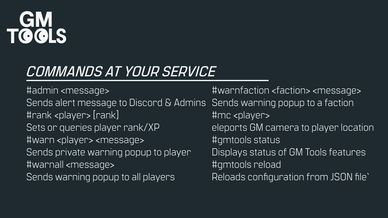
- `#admin <message>`
  Sends a formatted alert to the configured Discord webhook.

- `#rank <player> [rank]`
  Sets or queries the player’s rank.

- `#warn <player> <message>`
  Sends a private popup warning to a specific player.

- `#warnall <message>`
  Sends a popup warning to all connected players.

- `#warnfaction <faction> <message>`
  Sends a popup warning to a specific faction.

- `#mc <player>`
  Teleports the GM's free camera to the specified player and attaches.
  Optional static option: `#mc -s <target>`

- `#tp <player>`
  Teleports the target player (or their vehicle) near your current position (uses editor camera if active, otherwise character position). Requires admin to be controlling a character.

- `#endsession`
  Ends the current session immediately.
  Optional: `#endsession -time <seconds>` for a silent countdown.

- `#garbagesystem`
  Forces garbage collection of tracked entities (e.g., bodies, wrecks).

- `#deleteplaced`
  Forces deletion of player and GM placed sandbags and barbed wire.

- `#gmtools -status`
  Displays the current state of all enabled GMTOOLS features.

- `#gmtools -reload`
  Reloads configuration from JSON file (only values from the existing json keys).

---

## Installation & Setup

- **Setup**
  Edit `gm_tools_config.json` to configure feature toggles, webhook URL (`m_sAdminAlertWebhookURL`), chat forwarding (`m_bDiscordChatForwardingEnabled`), sound durations, popup text, and night vision EV values.
  Review the auto-generated README for detailed descriptions of each setting.

---

## Future Development

Development continues. The shape of what comes next is unclear, but its purpose is assured.
**Trust the tools. Trust the Work.**
License
This content is made available exclusively for non-commercial use in Arma Reforger. Monetization of this mod, or its use on any monetized server, is strictly prohibited.

This mod, including all its source code, assets, and compiled files, may not be re-uploaded, redistributed, modified, or adapted in any way without the express written permission of the author, Hovi.

By downloading or using this mod, you agree to these terms.

Unauthorized redistribution or any form of monetization is strictly forbidden and will result in a DMCA takedown notice.