Summary
Earn Trusted role badges by playing well: six field roles, Trusted Game Master and COC Veteran, with the Trusted Hub, badges by your name, a Badge Board and staff tools. Made for Casual Ops Central.
Description
Earned role badges for Casual Ops Central servers. Players earn a Trusted badge by playing a role well over several sessions, and the server awards it by itself. Staff can also award it sooner after a short check. There are no kill counts, no grinding and no paid shortcuts.

THE BADGES
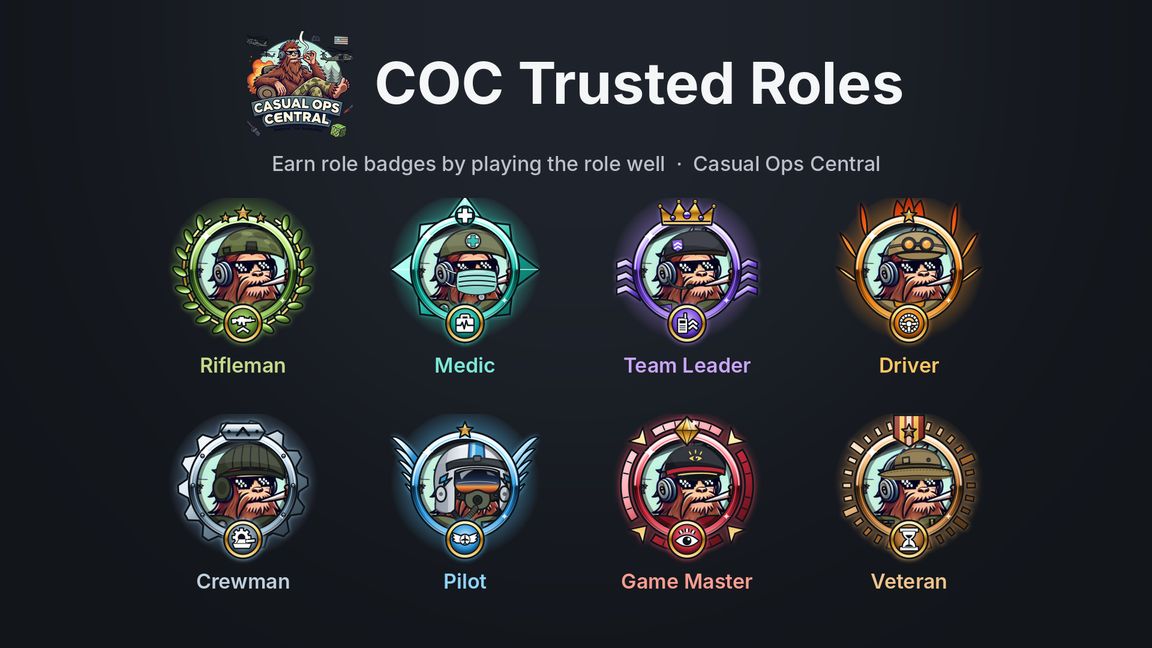
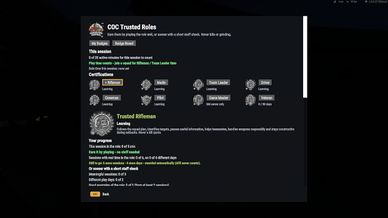
- Six field roles: Trusted Rifleman, Medic, Team Leader, Driver, Crewman and Pilot.
- Trusted Game Master: earned only on a Game Master server. A Game Master scenario is recognised automatically; Conflict and automated PvE servers are not.
- COC Veteran: awarded automatically after 30 different days of real play.
- Every badge has its own prestige frame around the COC Sasquatch.

EARN IT BY PLAYING
- Play the role normally: 6 sessions with real time in the role, on 4 different days. Medic, Driver and Pilot also need a few good examples the game records, with different players.
- A session counts after 20 active minutes. AFK time, riding along without looking around, an idle squad or an idle Game Master editor never count.
- Or, once you meet the shorter criteria, ask for a quick staff check during normal play.

FOR PLAYERS
- Trusted Hub: open it from the pause menu (Trusted Roles) or the player list (Trusted Hub). It shows your progress for every role, what counts this session and how close you are.
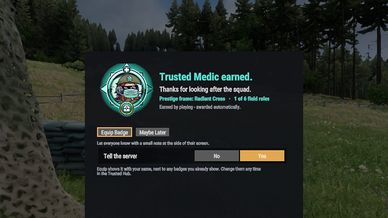
- When you earn a badge, a small private note appears. The award card opens when you pause, never in the middle of a fight.
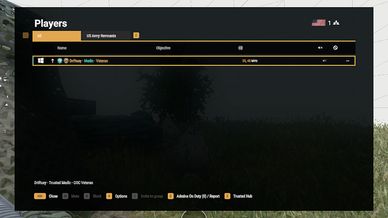
- Show your badges next to your name in the player list, with the role name above your nameplate. Pick which badges show, or show several at once.
- Badge Board: most badges, the Full Set Club, the rarest badges and the first players to earn each one.
- Display options: plain colours, reduced motion, hide role names, sounds and notes on or off.

FOR STAFF
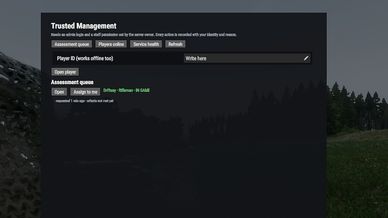
- Trusted Management: assessment queue, players online, give, remove, suspend or retrain a role. Each action needs an admin login plus a staff permission set in the server config, and is recorded with a reason.
- The server keeps its own records by default. No Discord or extra service is needed.

SERVER SETUP
- Add the mod after Casual Ops Central Admin Tools (required).
- On first start the server writes profile/COC_TrustedRoles/COC_TR_Config.json. Add your staff there and restart.
- Optional: a shared record across several servers and Discord role claiming use a separate COC trust service. It is not part of this mod, and no keys or tokens ever go into it.

Questions or a decision you think is wrong? Join discord.gg/driftusy and open #create-a-report.

Made by Driftusy for Casual Ops Central.
License
Arma Public License (APL)