Summary
Server foundation for the DLG mods
Description
# DLG Core

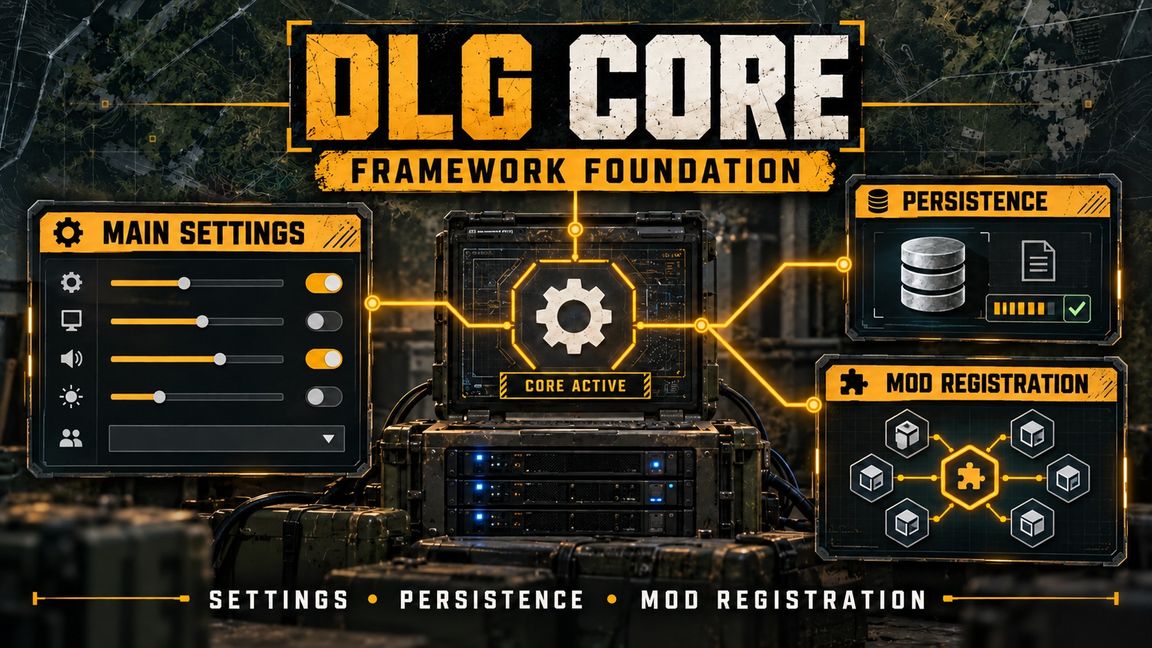
Server foundation for the DLG mods: JSON persistence, character saves, view rules and shared tools.

DLG Core saves players and world data as plain JSON files on the server and restores player characters
exactly as they logged out. The other DLG mods store their data through it. On its own it also gives server
owners and Game Masters control over ArmaVision and the third person camera, and adds a vehicle spawner.

## Features

**Character persistence**
- Position, facing, health per hit zone, vehicle seat and the full inventory, including the rounds left in
  every magazine
- Restored before the player gets control, so the start loadout can't be duplicated
- Death deletes the save; logging out while unconscious counts as death (configurable)
- No body left behind on logout (configurable)
- Items that no longer fit are dropped at the player's feet, never deleted
- Player characters are kept out of vanilla Game Master saves, so a session save can't hand out a second copy

**Safe files**
- Every file is written to a temp copy, verified, and swapped in, with a backup of the previous version
- A broken file is kept aside for the admin, never overwritten
- An accidental death delete can be undone by renaming one file

**View rules**
- ArmaVision for players on/off (Game Masters and admins always keep it)
- Third person on foot on/off
- Third person in vehicles on/off
- Set in the server config, or live by a Game Master in the scenario settings ("DLG Core" tab). Game Master
  changes are written back to the config and last over restarts.

**Loading screen**
- Joining players keep the loading screen until their character is restored and the area around it is
  loaded: no pop-in, no falling through unloaded ground, no start gear flashing before the saved gear

**Server banner and chat messages**
- Message window for players on join: rich text, header image (the DLG server banner, the scenario's loading
  screen or your own), a link button (e.g. Discord)
- Show it on every join, only when it changed, or only on request
- Players reopen it from the pause menu ("Server info") or with `#info`
- Repeated and scheduled chat messages, `#message` broadcasts and `#save` for admins (chat and RCON)

**Vehicle spawner**
- Keeps a vehicle at its spot and respawns it after it was destroyed or deleted
- Place it in Workbench or as Game Master ("Vehicle Spawner (DLG Core)"): put it next to any vehicle and it
  keeps that vehicle
- Adjustable respawn delay, saved with the server data

**Game Master**
- Game Master list in the server config: listed players get Game Master on join
- The DLG game mode has no Game Master vote; admins use `#login`
- Content browser search finds every DLG placeable by plain text: search "DLG" or a mod name

**For mission makers and modders**
- Ready-made game mode, faction manager, loadout manager, chat and radio manager prefabs
- Module API: other mods register a module and get per-player and world-wide JSON files, save scheduling and
  spawn hooks without writing files themselves
- Currency bridge: any mod can pay players in the server's currency (provided by DLG Shop) without depending
  on it

## Required on server and clients

The view rules are replicated and the Game Master attributes run on every machine. The server and all players
need the mod.

## Dependencies

- Arma Reforger

No other mods.

## Configuration

`$profile:DLG/<namespace>/Core.json` on the server, created with defaults on first start. The namespace is set
on the game mode's DLG Core component (one per scenario). Settings:

- `autosaveSeconds`, `recordsPerTick`
- `allowUnverifiedIdentity` (local hosting only, keep off on public servers)
- `restorePosition`, `removeBodyOnDisconnect`, `unconsciousLogoutIsDeath`
- `allowArmaVision`, `thirdPersonOnFoot`, `thirdPersonInVehicle`
- `loadingScreen`, `loadingScreenMaxSeconds`
- `gameMasters`
- `debug`

Start parameters for local test servers: `-dlgGameMasters`, `-dlgAllowUnverifiedIdentity`.

Banner and chat messages: `$profile:DLG/<namespace>/Messages.json` (banner text, image, link, when it shows;
repeated and scheduled chat messages; admin prefix).

Player data: `Players/<identity>/<module>.json`. World data: `Global/<module>.json`.

## Setup

Use the game mode prefab `Prefabs/MP/DLG_GameMode.et`, or add `DLG_CoreComponent` to your game mode once and
set the spawn logic's disconnect behaviours to DELETE. Use a normal faction loadout, not an arsenal loadout.

## Other DLG mods

- DLG Shop: traders, player accounts and cash
- DLG Vehicle Lock: owned vehicles, keys and locks
- DLG Game Master Additions: Map Entity Hider and Safe Zone
- DLG Loot Spawner: map-wide loot and Game Master loot areas
- DLG Encounters: dynamic encounters and missions with rewards
- DLG Survival PvPvE Scenario: the survival scenario built on all of them
License
Arma Public License (APL)